 RyanPlugins
Disclosure: Hostinger links in this post are referral links. If you buy through one, RyanPlugins earns a commission at no extra cost to you.
Shared hosting works for a new store, but WooCommerce gets heavy fast. The cart, checkout and My Account pages can’t be served from a page cache, so every shopper on them uses server resources. Once orders pick up, a slow checkout costs sales. For most growing stores, the best cloud hosting for WooCommerce is Hostinger Cloud: dedicated resources, a dedicated IP and daily backups, without having to run a server yourself.
30-day money-back guarantee. Free website migration.
Quick answer
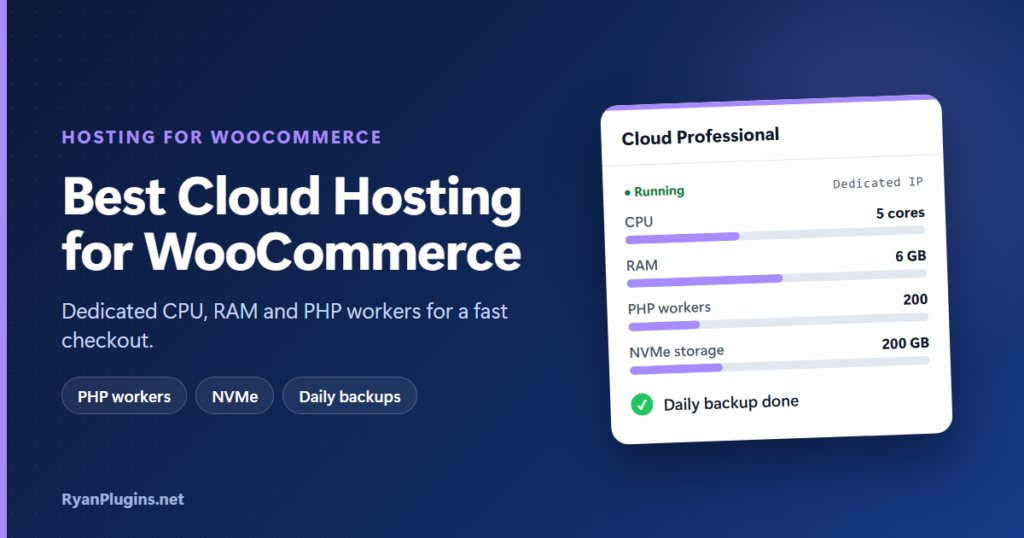
- Best for most growing stores: Cloud Professional (5 CPU cores, 6 GB RAM, 200 PHP workers).
- Moving up from shared hosting: Cloud Startup (4 CPU cores, 4 GB RAM, 100 PHP workers).
- High traffic, big catalogs or several stores: Cloud Enterprise (6 CPU cores, 12 GB RAM, 300 PHP workers).
What WooCommerce needs from cloud hosting
A blog can serve almost every visitor from a cache. A store can’t. Product and category pages cache well, but anything tied to a shopper’s session is generated fresh by PHP every time: adding to cart, updating the cart, checkout, payment callbacks and the account area. That makes a few resources matter more than the headline storage number.
- PHP workers: each uncached request holds a PHP worker until it finishes. When they are all busy, the next shopper waits in a queue. More workers means more people can check out at once.
- CPU and RAM: WooCommerce, its extensions and the database all compete for them. RAM also holds the object cache, which speeds up the uncached pages.
- Fast storage: order and product queries hit the database constantly. NVMe storage keeps them quick.
- Daily backups: a store gets new orders every day, so last week’s backup isn’t good enough.
- A dedicated IP: your store doesn’t share an IP address with unknown sites, which helps keep it off blocklists.
Shared vs cloud vs VPS for a WooCommerce store
| Shared hosting | Cloud hosting | VPS | |
|---|---|---|---|
| Resources | Shared with other sites | Dedicated to your account | Dedicated to your server |
| Server management | Done for you | Done for you | You do it |
| Dedicated IP | Usually not | Yes, on Hostinger Cloud | Yes |
| Best for | New stores with few orders | Growing stores that need speed without admin work | Developers who want root access and custom software |
Cloud hosting is the middle ground most store owners want: VPS-level resources with the same managed panel, updates and support as shared hosting. Choose a VPS only if you need root access or software the panel doesn’t offer.
Hostinger Cloud plans compared
| Cloud Startup | Cloud Professional | Cloud Enterprise | |
|---|---|---|---|
| CPU cores | 4 | 5 | 6 |
| RAM | 4 GB | 6 GB | 12 GB |
| NVMe storage | 100 GB | 200 GB | 300 GB |
| PHP workers | 100 | 200 | 300 |
| Inodes (files) | 2,000,000 | 3,000,000 | 4,000,000 |
| Websites | Unlimited | Unlimited | Unlimited |
| Price (24-month term) | $8.99/mo | $17.99/mo | $34.99/mo |
| Renews at | $25.99/mo | $44.99/mo | $64.99/mo |
Prices are in USD, before tax, from Hostinger’s sale pricing on 9 November 2026. They change with promotions, term length and region, so check the current price before you buy. All three plans include a dedicated IP, CDN, unlimited SSL, a free domain for one year, free mailboxes for one year and priority 24/7 support.
Which plan fits your store?
There’s no exact order count per plan, because it depends on your theme, plugins and how many people check out at the same moment. Use this as a starting point:
- Cloud Startup: a single store that has outgrown shared hosting, with a modest catalog and steady daily traffic.
- Cloud Professional: a busy store that runs promotions, sends email campaigns or sees traffic spikes. Twice the PHP workers of Startup is what keeps checkout moving during a sale. This is the plan we’d pick for most stores.
- Cloud Enterprise: large catalogs, heavy extensions (subscriptions, bookings, multilingual), high traffic, or several stores on one account.
You can upgrade later without rebuilding the site, so start where you are and move up when the panel shows you’re near your limits.
Why Hostinger Cloud works well for WooCommerce
- Managed WooCommerce: one-click WordPress and WooCommerce setup, plus automatic updates with a backup taken before each update and a compatibility check.
- Speed stack: LiteSpeed web server, object cache, NVMe storage and a built-in CDN.
- Uptime and safety: a 99.9% uptime target, daily backups and DDoS protection.
- Data centres close to your customers: locations in North America, South America, Europe, South Africa, Asia and Australia.
- Access sharing: give a developer or team member access without handing over your login.
- Free migration: Hostinger moves your existing store for you.
ryanplugins.net runs on Hostinger, so this is the setup we use ourselves.
What to know before you buy
- The lowest price needs a long term. The prices above are for the 24-month plan, paid upfront. A 48-month term costs less per month, and shorter terms cost more.
- Renewal prices are higher. Plan for the renewal rate, not only the first term.
- No root access. Cloud hosting is managed. If you need to install your own server software, look at VPS hosting for WooCommerce instead.
Set up WooCommerce on Hostinger Cloud
- Choose a Cloud plan and a term.
- Pick the data centre closest to most of your customers.
- Install WordPress and WooCommerce with one click, or ask Hostinger to migrate your existing store.
- Turn on LiteSpeed Cache and the object cache. Make sure cart, checkout and My Account are excluded from page caching.
- Connect a payment gateway and run a test order before going live. Our WooCommerce payment gateway guides cover accept.blue, Cybersource and crypto.
Not sure you need cloud yet? Our guide to the best WooCommerce hosting covers the cheaper shared plans, and Hostinger Agency Hosting is built for people who manage many client stores.
Frequently asked questions
Is cloud hosting better than shared hosting for WooCommerce?
For a store with regular orders, yes. Cloud hosting gives your store its own CPU, RAM and PHP workers, so checkout stays fast when traffic rises and other sites can’t slow you down.
How many PHP workers does a WooCommerce store need?
It depends on how many shoppers are on uncached pages at the same moment. Hostinger Cloud starts at 100 PHP workers, which is plenty for a single growing store. Busy stores that run sales are better served by the 200 on Cloud Professional.
Can I move my existing WooCommerce store to Hostinger Cloud?
Yes. Hostinger offers free website migration with Cloud plans, and you can test the site on Hostinger before you point your domain at it.
Can I host more than one store on one Cloud plan?
Yes. All three plans allow unlimited websites. The resources are shared between them, so choose a bigger plan if you run several busy stores.
Can I upgrade my plan later?
Yes. You can add capacity as traffic grows without rebuilding your site or moving to a new server.
Give your store room to grow
If your store has outgrown shared hosting, Hostinger Cloud gives you dedicated resources and a fast checkout without server admin. Start with Cloud Professional for most stores, and upgrade when you need to.
30-day money-back guarantee.