 RyanPlugins
Disclosure: Hostinger links in this post are referral links. If you buy through one, RyanPlugins earns a commission at no extra cost to you.
A VPS gives your WooCommerce store a server of its own: dedicated CPU and RAM, full root access, and the freedom to tune PHP, the database and caching exactly the way your store needs. If you are comfortable managing a Linux server, or have a developer who is, the best VPS hosting for WooCommerce is Hostinger VPS. It runs on AMD EPYC processors and NVMe storage and costs much less than comparable managed hosting.
24-month term. 30-day money-back guarantee. No setup fees.
Quick answer
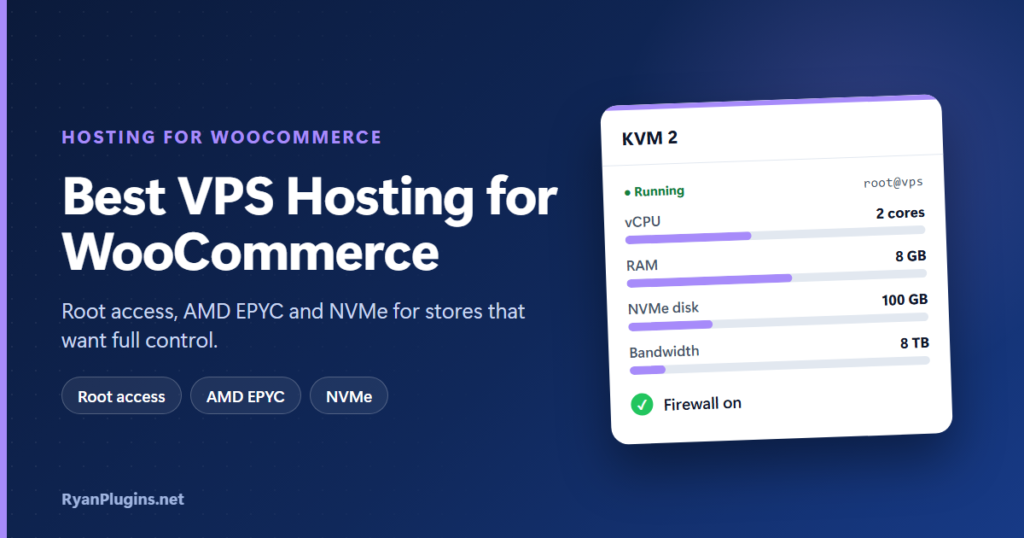
- Best for most WooCommerce stores: KVM 2 (2 vCPU cores, 8 GB RAM, 100 GB NVMe).
- Testing or a very small store: KVM 1 (1 vCPU core, 4 GB RAM).
- High traffic or big catalogs: KVM 4 (4 vCPU cores, 16 GB RAM).
- Several busy stores or agencies: KVM 8 (8 vCPU cores, 32 GB RAM).
Is a VPS right for your WooCommerce store?
A VPS (virtual private server) is a virtual machine with resources reserved for you. Nobody else’s traffic can slow your store down, and you control the whole software stack. The trade-off is responsibility: you, or your developer, install the software, apply updates, configure security and set up backups.
Choose a VPS if you:
- want the most CPU and RAM for your money;
- need root access to tune PHP, MySQL or MariaDB, Redis or the web server;
- run extra services next to the store, such as a search engine, a headless frontend or background workers;
- are comfortable with the command line, or have a developer who is.
If you would rather not manage a server at all, managed cloud hosting is the better fit. See our guide to the best cloud hosting for WooCommerce.
VPS vs cloud hosting for WooCommerce
| Hostinger VPS | Hostinger Cloud | |
|---|---|---|
| Root access | Yes | No |
| Server management | You do it | Done for you |
| Software | Anything you install | The managed panel’s stack |
| Backups | Free weekly backups | Daily backups |
| Best for | Developers and stores that need custom setups | Store owners who want speed without admin work |
Hostinger VPS plans compared
| KVM 1 | KVM 2 | KVM 4 | KVM 8 | |
|---|---|---|---|---|
| vCPU cores | 1 | 2 | 4 | 8 |
| RAM | 4 GB | 8 GB | 16 GB | 32 GB |
| NVMe disk | 50 GB | 100 GB | 200 GB | 400 GB |
| Bandwidth | 4 TB | 8 TB | 16 TB | 32 TB |
| Price (24-month term) | $6.49/mo | $8.79/mo | $12.99/mo | $25.99/mo |
| Renews at | $11.99/mo | $14.99/mo | $28.99/mo | $49.99/mo |
Prices are in USD, before tax, from Hostinger’s sale pricing on 9 November 2026. They change with promotions, term length and region, so check the current price before you buy. Every plan includes AMD EPYC processors, NVMe storage, a 1 Gbps network, full root access, firewall management, DDoS protection, free weekly backups, an AI web terminal, a public API and a free domain for one year.
Which plan fits your store?
RAM is usually the first limit a WooCommerce server hits. PHP, the database and the object cache all live in memory, and memory runs out before CPU on most stores. Use this as a starting point:
- KVM 1: a staging server, a test store or a very small shop. 4 GB of RAM leaves little room once the database and cache are running.
- KVM 2: the sweet spot for a single growing store. 8 GB of RAM fits PHP, the database and Redis comfortably, with headroom for sales. Hostinger itself describes it as ideal for online stores. This is the plan we recommend.
- KVM 4: high traffic, large catalogs, or heavy extensions such as subscriptions, bookings and multilingual plugins.
- KVM 8: several busy stores on one server, or a store with extra services such as a search engine running alongside it.
Why Hostinger VPS works well for WooCommerce
- Fast hardware: AMD EPYC processors, NVMe storage and a 1 Gbps network keep database queries and checkout quick.
- Full root access: tune PHP-FPM, the database and caching for your store instead of accepting shared defaults.
- One-click control panels: install CloudPanel, AdminBolt or Coolify, or start from a plain Linux image.
- Security built in: firewall management and Wanguard DDoS filtering.
- Locations worldwide: 10 data centres across 4 continents, and you can move your VPS to another location later.
- AI web terminal: run commands and troubleshoot in plain language, which helps if you are new to servers.
ryanplugins.net runs on Hostinger, so this is a provider we use ourselves.
What to know before you buy
- It isn’t managed WordPress hosting. You are responsible for updates, security hardening and fixing the server if something breaks.
- Weekly backups aren’t enough for a store. A store takes orders every day. Add your own daily, off-server backups from day one.
- The lowest price needs a long term, and renewal prices are higher. Plan for the renewal rate.
Set up WooCommerce on a Hostinger VPS
- Choose a plan (KVM 2 for most stores) and the data centre closest to your customers.
- Pick an operating system template. A control panel such as CloudPanel makes running WordPress much easier than a plain OS.
- Create a WordPress site in the panel, point your domain at the server and issue a free SSL certificate.
- Install WooCommerce, then add Redis for object caching and a page cache that excludes cart, checkout and My Account.
- Lock it down: enable the firewall, use SSH keys instead of passwords, and turn on automatic security updates.
- Set up daily off-server backups of the files and database, and test a restore.
- Connect a payment gateway and run a test order before going live. Our WooCommerce payment gateway guides cover accept.blue, Cybersource and crypto.
Comparing other options? Read our guides to the best WooCommerce hosting for shared plans and Hostinger Agency Hosting for managing many client stores.
Frequently asked questions
Is a VPS good for WooCommerce?
Yes, if someone can manage the server. A VPS gives your store dedicated CPU and RAM and full control over the software, which makes it fast and good value. Without server skills, managed cloud hosting is the safer choice.
How much RAM does a WooCommerce VPS need?
For a single growing store, 8 GB is a comfortable starting point because it fits PHP, the database and an object cache together. 4 GB works for testing or very small shops. Large catalogs and high traffic need 16 GB or more.
Does Hostinger VPS include a control panel?
You can install one with one click when you set up the server. Options include CloudPanel, AdminBolt and Coolify, or you can start from a plain Linux image and configure everything yourself.
Does Hostinger VPS include backups?
Every plan includes free weekly backups that you can restore from the dashboard. For a store, add daily off-server backups as well, so you never lose a day of orders.
Can I upgrade my VPS later?
Yes. You can move to a bigger KVM plan as your store grows, and you can move your VPS to another data centre location.
Run your store on a server of its own
If you want dedicated resources and full control at a low price, Hostinger VPS is hard to beat. KVM 2 is the right starting point for most WooCommerce stores, and you can scale up as orders grow.
30-day money-back guarantee.