 RyanPlugins
Plugins / Crypto / Stablecoins for WooCommerce
Stablecoins for WooCommerce
Accept USDC, PYUSD, USDM and USDCx on Ethereum, Base, Solana and Cardano. Payments go straight to your own wallets and are confirmed on-chain, with no custodian and no conversion fee.
Classic and Block checkout · HPOS compatible · Test mode on every network
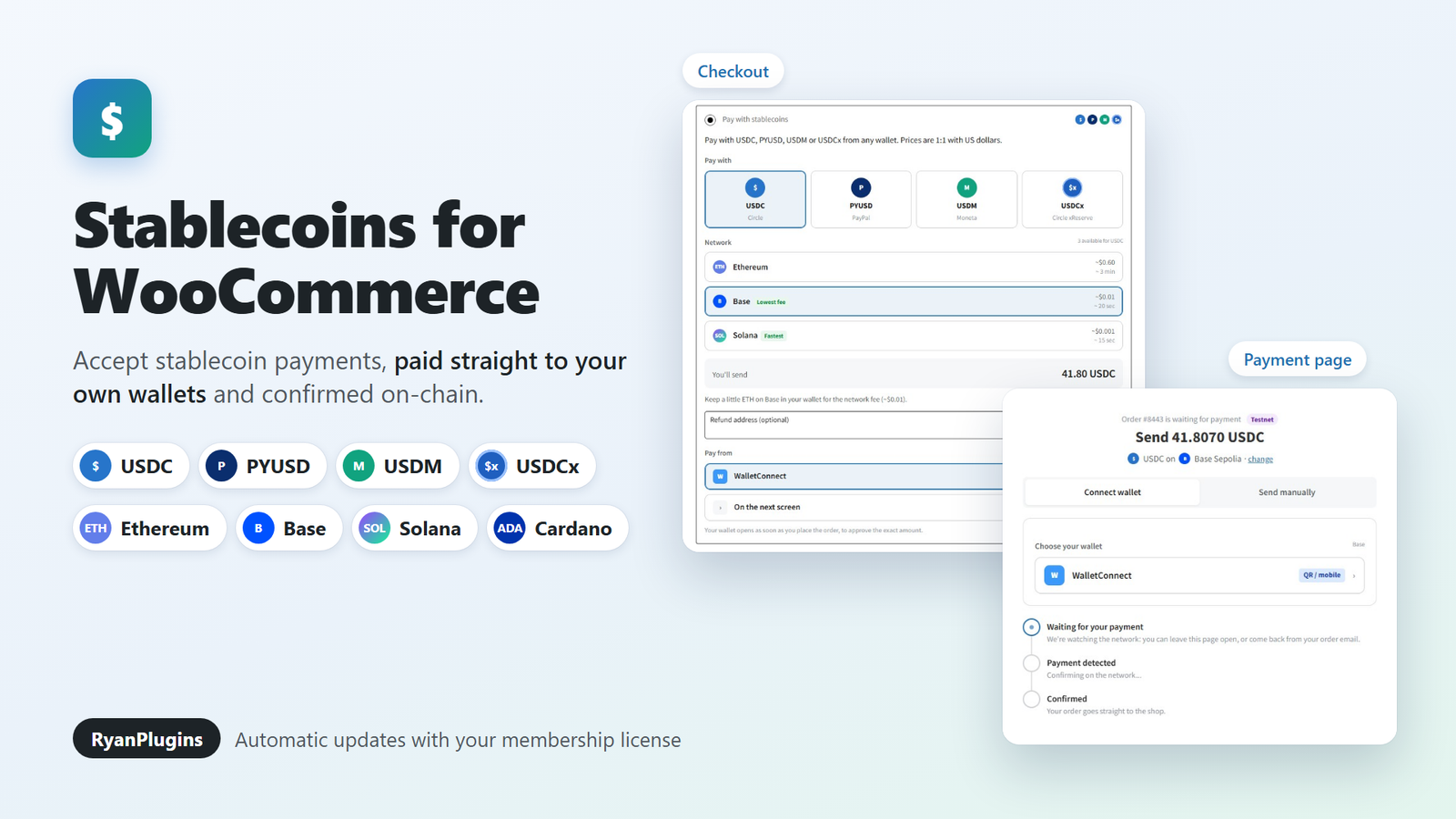
Stablecoins for WooCommerce is a payment gateway for USD stablecoins. Customers pay in USDC, PYUSD, USDM or USDCx on Ethereum, Base, Solana or Cardano, and the money goes straight to wallet addresses you control. No custodian holds the funds, there is no conversion fee, and every payment is confirmed on-chain before the order is marked paid.
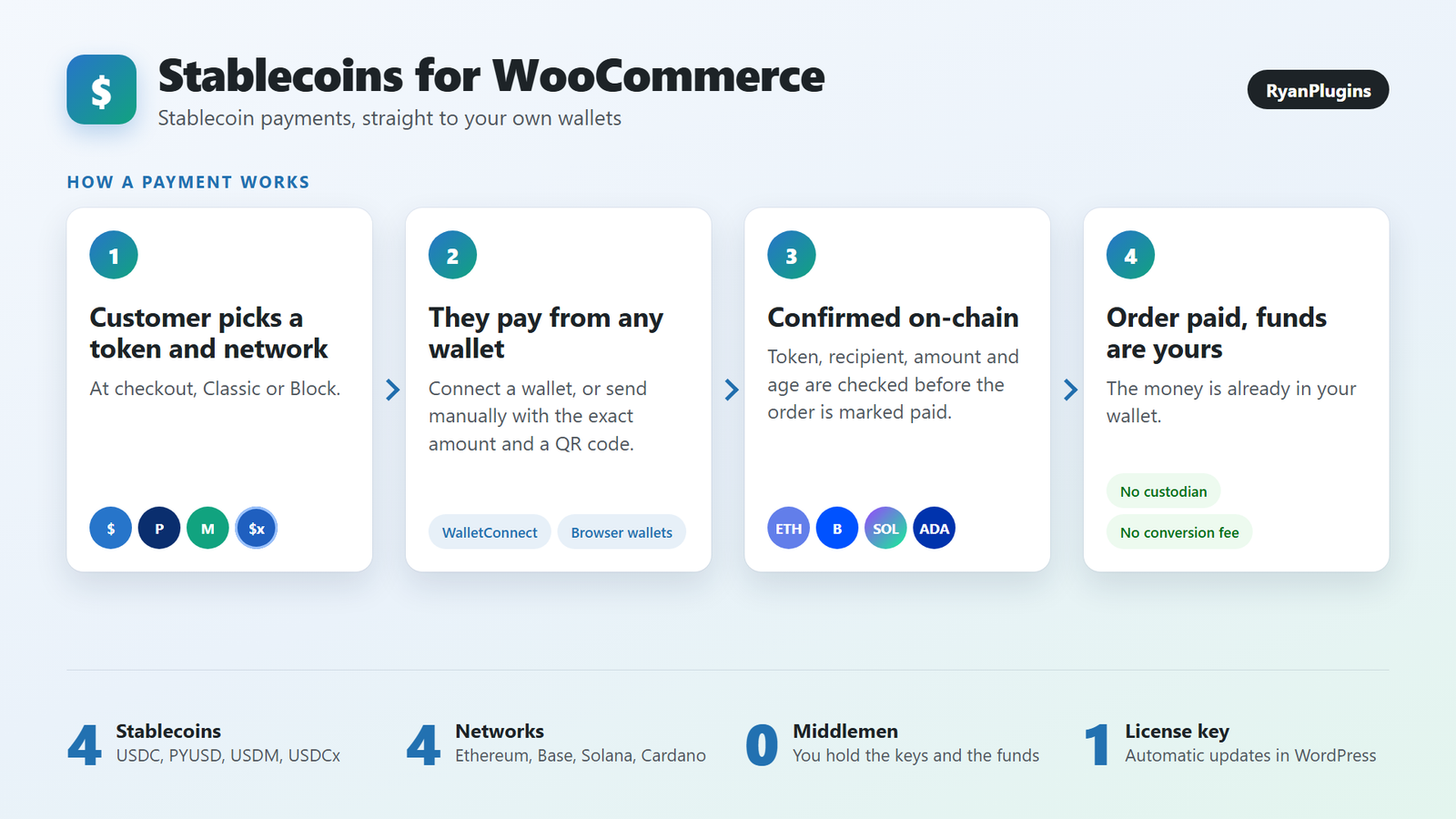
Supported stablecoins and networks
- Ethereum: USDC and PYUSD.
- Base: USDC, usually with network fees of about a cent.
- Solana: USDC and PYUSD.
- Cardano: USDM and USDCx.
You choose which tokens you accept and enter one receiving address for each network. Prices stay 1:1 with US dollars. If your store currency is not USD, the plugin converts the total with a live exchange rate.
Customers pay from the wallet they already use
- Ethereum and Base: WalletConnect, so any mobile wallet can pay by scanning a QR code, plus browser wallets.
- Solana: Phantom, Solflare and Backpack.
- Cardano: Eternl, Lace and Vespr.
- Send manually: the payment page shows the address, the exact amount and a QR code, for paying from an exchange or another device. A small unique figure in the amount matches the transfer to its order automatically.
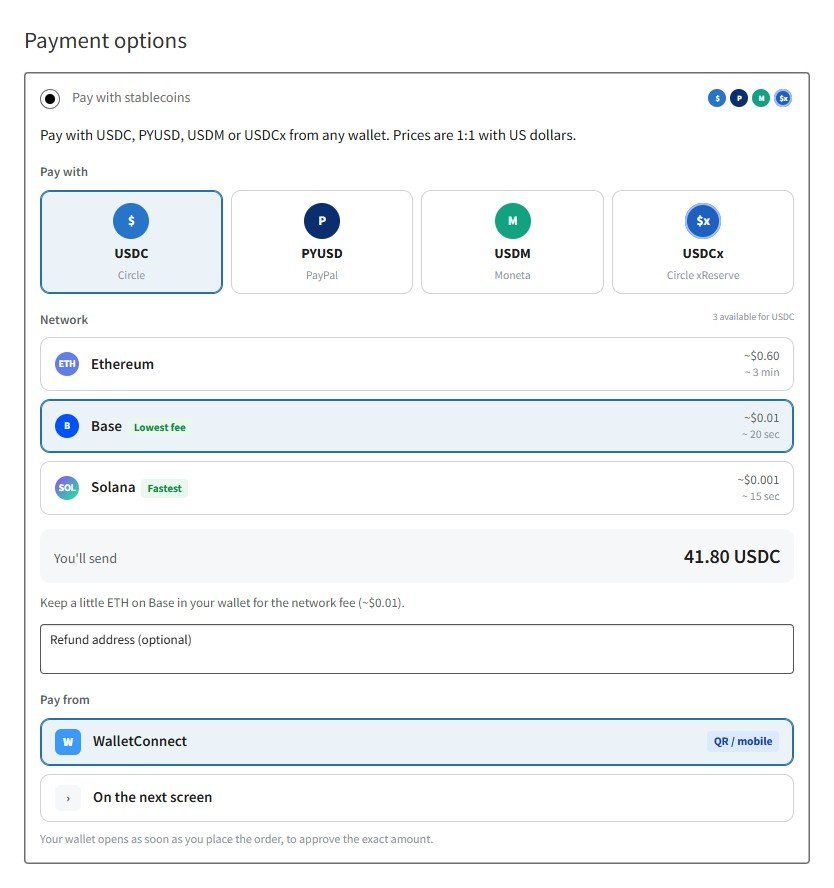
Pay right at checkout
With Pay at checkout turned on, the customer’s wallet opens as soon as they place the order and asks them to approve the exact amount, so most payments never need a separate payment page. Anyone who cancels continues to the payment page, which tracks the payment from waiting to detected to confirmed.
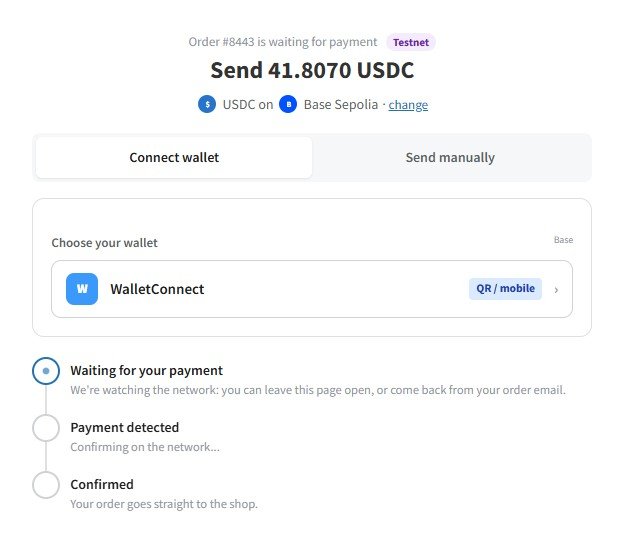
Confirmed on-chain, order by order
Before an order is marked paid, the plugin checks the transfer’s token, recipient, amount and age, and makes sure the same transaction was not already used for another order. Ethereum and Base payments are checked with Etherscan, Solana with Helius and Cardano with Blockfrost, using your own API keys.
If a customer sends the wrong amount, the order stays On hold. You can attach the transaction ID on the order screen: a small underpayment within the tolerance you set completes the order, and anything else is noted for you to settle.
Built for real stores
- Works with the Classic and Block checkout, and is compatible with HPOS.
- Test mode on Sepolia, Base Sepolia, Solana devnet and Cardano preprod, with separate addresses, visible only to store managers.
- A Demo store option that shows the test-mode gateway to every visitor, for public demos with free test tokens.
- Updates install from your WordPress dashboard once you activate the license key from your RyanPlugins Patreon membership.
Requirements
- WordPress 6.2 or later and PHP 7.4 or later, with WooCommerce active.
- A receiving wallet address for each network you accept.
- Free API keys for the networks you accept: Etherscan, Helius and Blockfrost. Ethereum and Base wallet payments also need a free WalletConnect Project ID from cloud.reown.com.
New to stablecoin payments? Read our guide to accepting stablecoin payments in WooCommerce.
Frequently asked questions
Where do the payments go?
Straight to the receiving addresses you enter. The plugin never holds funds or private keys.
Which stablecoins can customers pay with?
USDC and PYUSD on Ethereum, USDC on Base, USDC and PYUSD on Solana, and USDM and USDCx on Cardano. You can turn each one on or off.
Can I test it before going live?
Yes. Test mode uses Sepolia, Base Sepolia, Solana devnet and Cardano preprod with separate addresses, so you can place real test orders with free test tokens before switching to mainnet.
What happens if a customer sends the wrong amount?
Only the exact amount shown is matched automatically. Any other amount leaves the order On hold, and you can attach the transaction ID on the order screen to complete it, note the overpayment or collect the balance.
How do I get updates?
Activate the license key from your RyanPlugins Patreon membership on the plugin’s License tab. New versions then appear on the Plugins screen and can update automatically.
Questions before you buy?
Email support@ryanplugins.net and we will help you check that it fits your store.