
Description
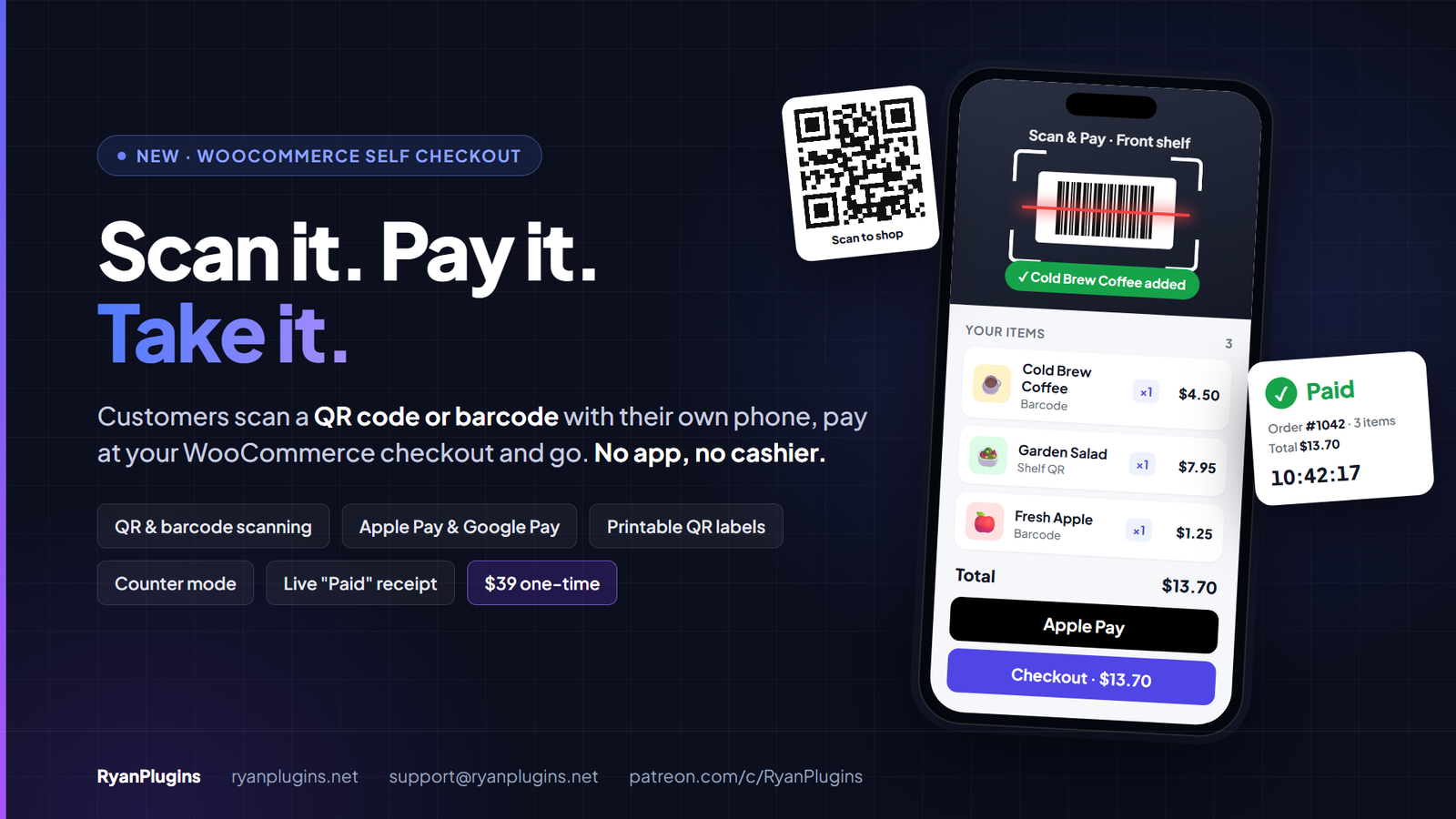
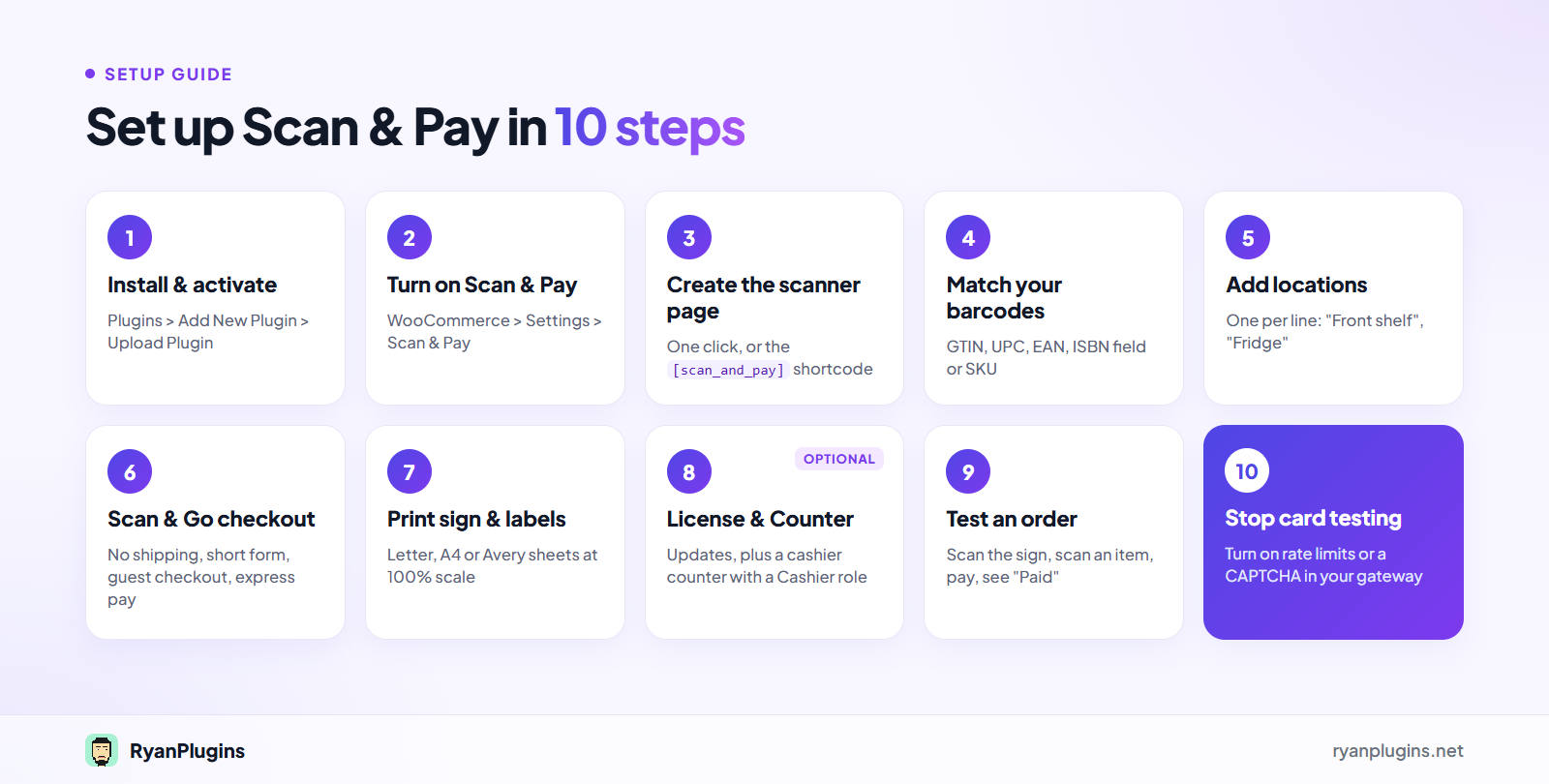
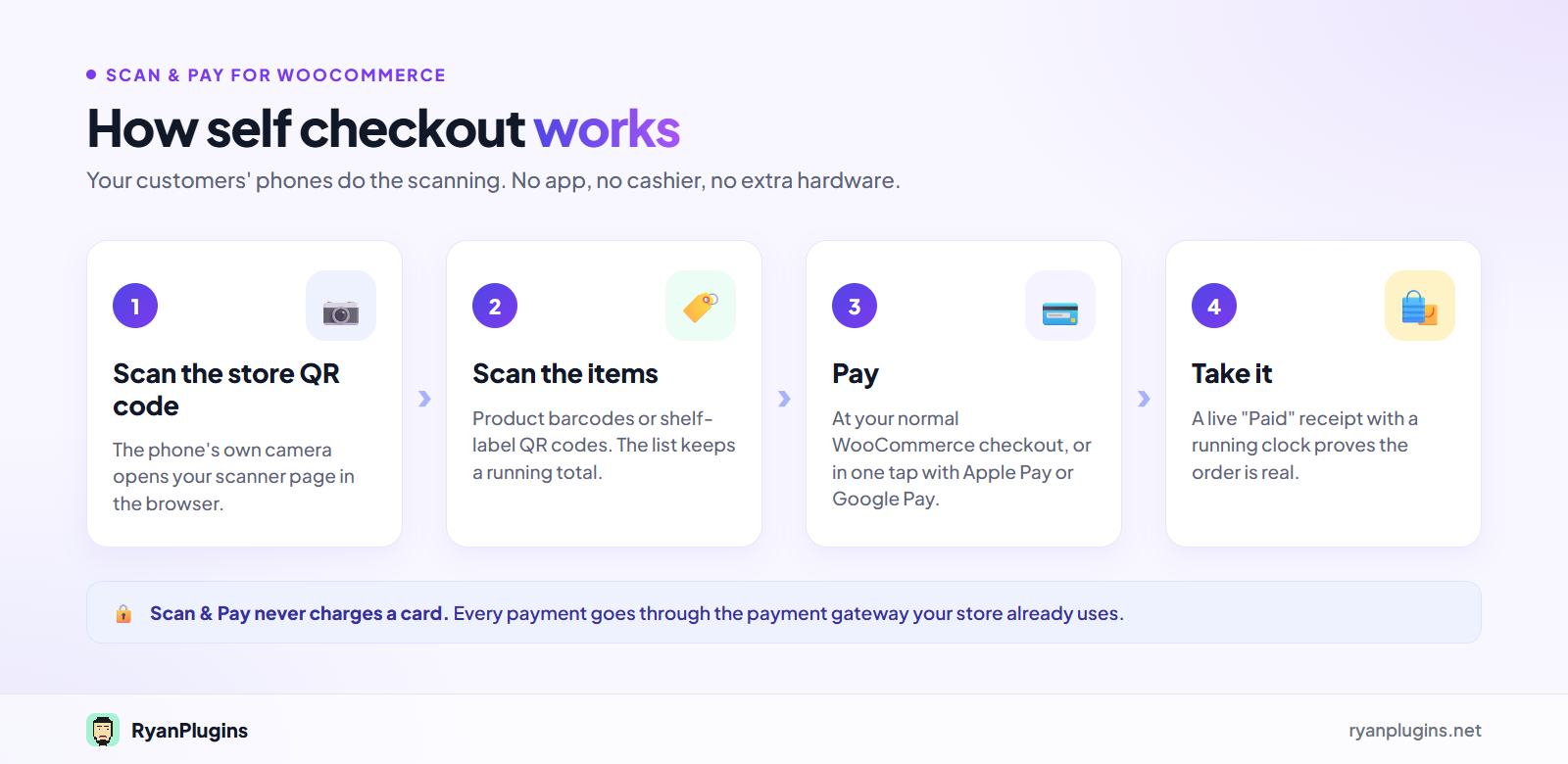
Scan & Pay for WooCommerce is a self checkout plugin. Customers scan a QR code or an item’s barcode with their own phone, pay at your normal WooCommerce checkout, and take the item. They install no app, and you need no cashier. It costs $39 USD as a one-time purchase and takes about 15 minutes to set up.
Who it is for
- Unattended shops: honor-system stores, office fridges and snack shelves with nobody at the till.
- Stores with more than one spot: each location gets its own QR code, and every order records where it was scanned.
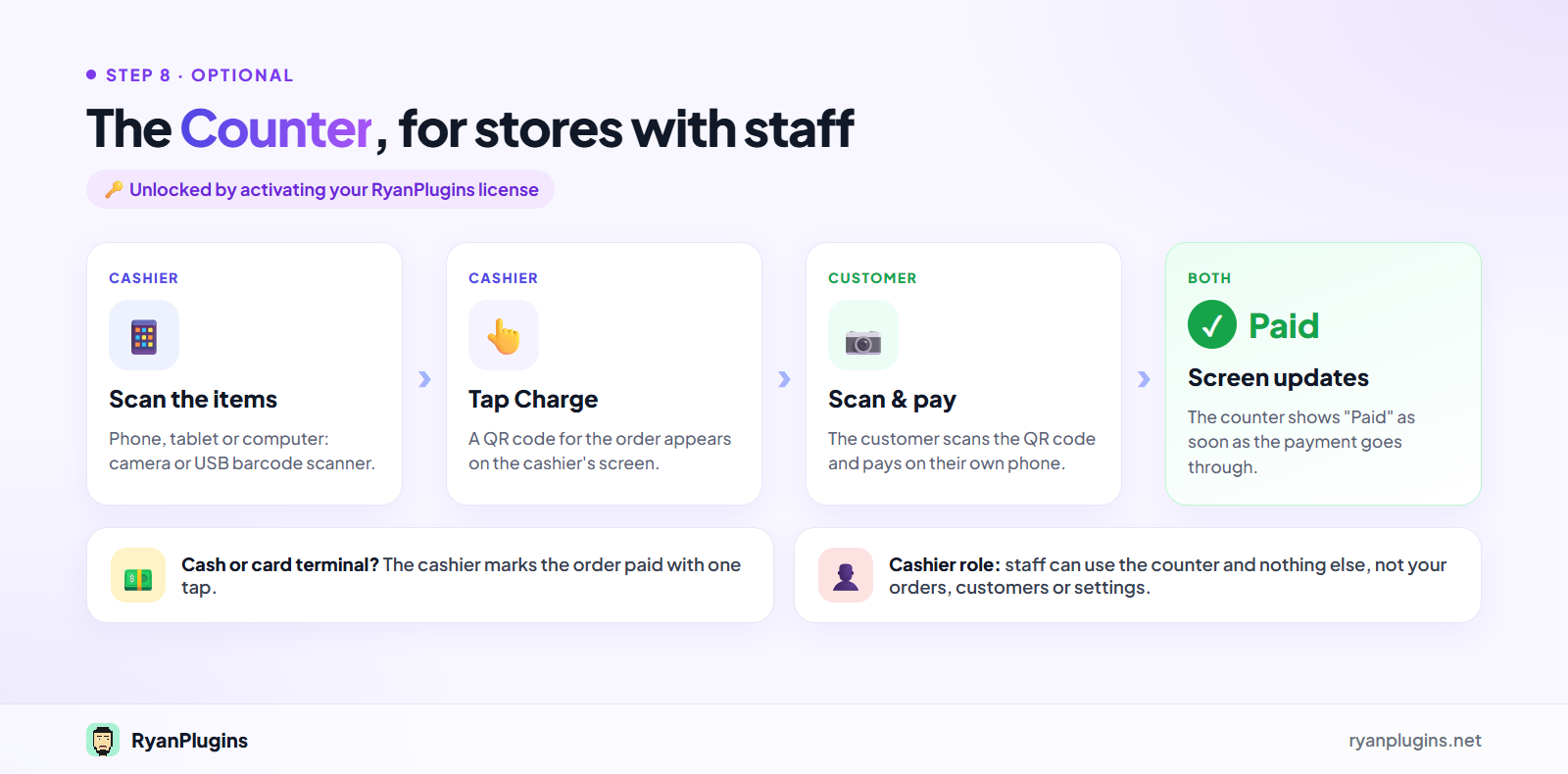
- Shops with a cashier: the Counter lets staff scan items and the customer pay on their own phone.
Scanning that works in the phone browser
- A full-screen scanner page that opens like an app, on iPhone and Android.
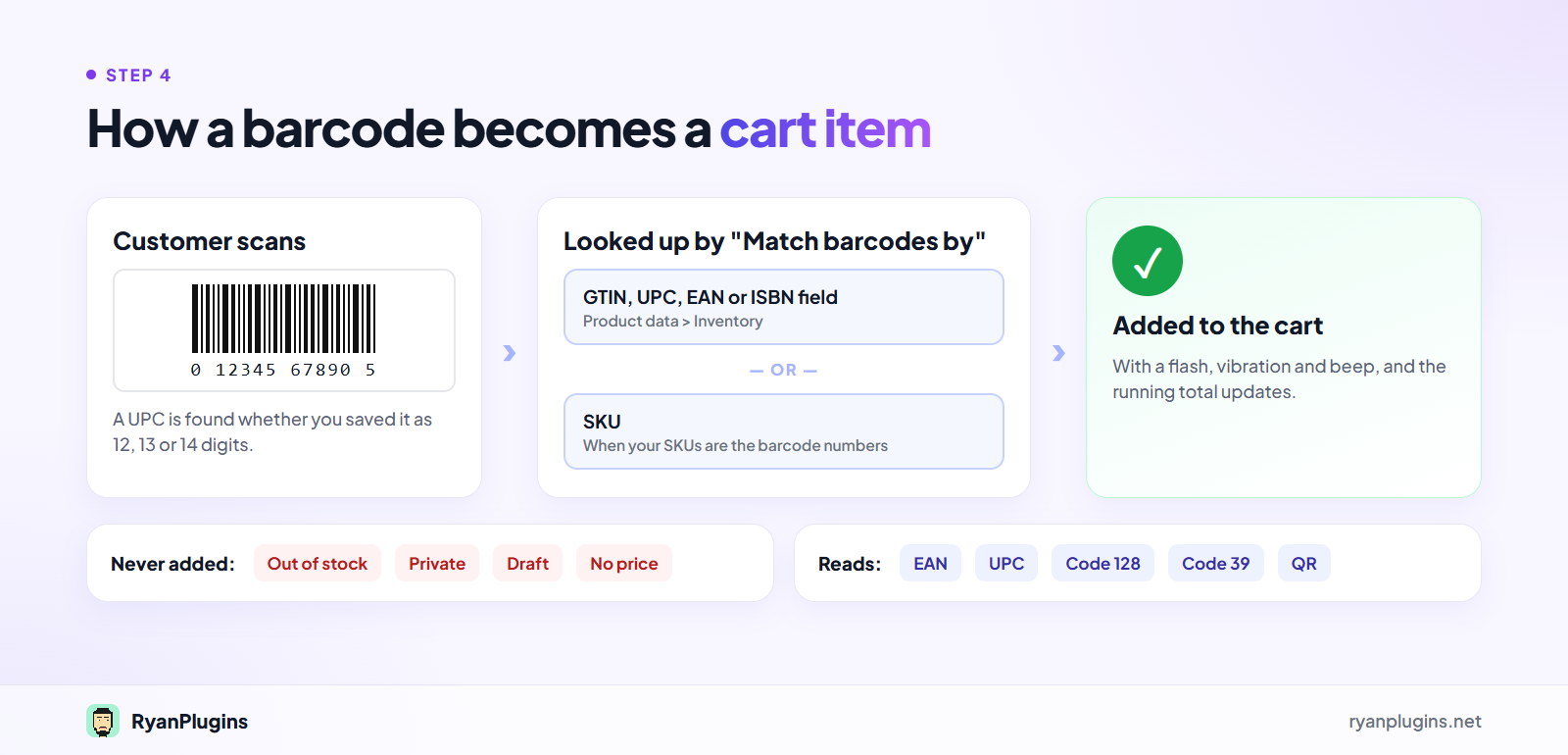
- Reads EAN, UPC, Code 128 and Code 39 barcodes as well as QR codes.
- Matches barcodes to your product GTIN, UPC, EAN or ISBN field, or to your SKU.
- A Type a code option for damaged barcodes.
- Out-of-stock, private, draft and unpriced products are never added to the cart.
A shorter checkout for scanned carts
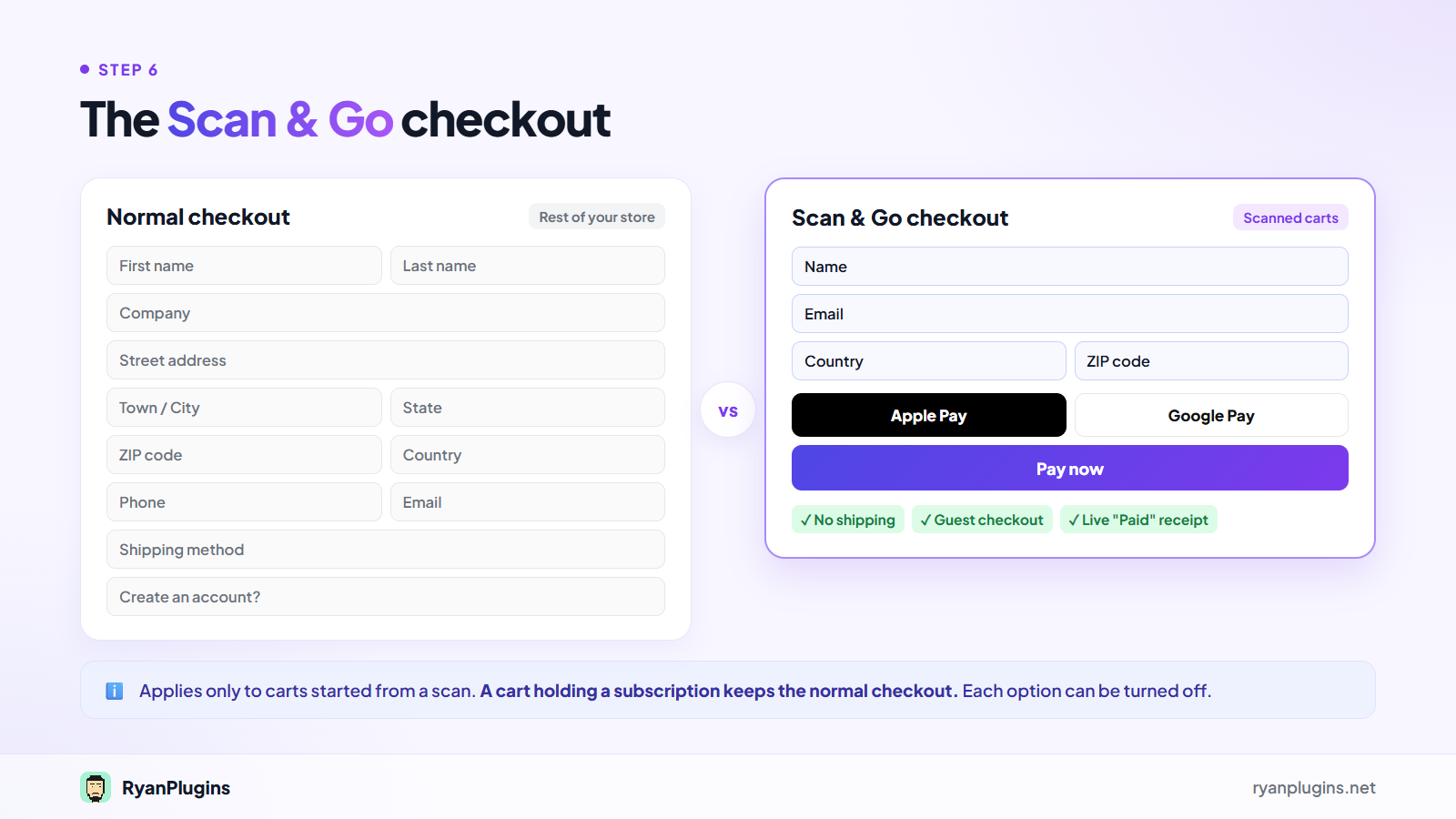
The Scan & Go checkout applies only to carts started from a scan. The rest of your store checks out as usual.
- No shipping, because items are taken from the shelf.
- A short form asking only for name, email, country and ZIP code.
- Guest checkout, with no account needed.
- Apple Pay and Google Pay right under the scanned items, when your payment plugin offers them.
- A live Paid receipt with the order number and a running clock, so an old screenshot can be told apart.
Print-ready signs and shelf labels
- A QR store sign, plus one for each location, with your own logo, wording and colours.
- Shelf labels with product name, price and QR code for items with no barcode.
- Letter, A4, and Avery 5163 / 8163 or L7163 sticker sheets.
- Download any QR code as an SVG for your own design.
Counter mode for staff
The cashier scans items with the camera or a USB barcode scanner and taps Charge. The customer scans the QR code on the screen and pays on their own phone, and the screen shows Paid as soon as they have. The Cashier user role can use the counter and nothing else in your dashboard. The Counter needs an activated license.
Requirements
- WordPress 6.2 or later, WooCommerce 9.2 or later, PHP 7.4 or later.
- HTTPS on your whole site, because phone browsers only allow the camera on secure pages.
- A payment method that suits your store. Card, Apple Pay or Google Pay suit a store with nobody at the till.
Ready to set it up? Follow the full Scan & Pay setup guide, or read the plugin overview.
Frequently asked questions
How much does Scan & Pay for WooCommerce cost?
Scan & Pay for WooCommerce costs $39 USD as a one-time purchase. There is no monthly fee, and the plugin never takes a cut of your sales, because every payment goes through your own WooCommerce payment gateway.
Does it work with my payment gateway?
Scan & Pay never charges a card itself. Customers pay with the payment methods your checkout already offers, and you can choose which of them scanned carts are offered.
Do customers need to install an app?
No. Customers scan your QR code with the phone camera and the scanner opens in the browser. On iPhone, the scanner page loads a bundled barcode reader, because Safari has no built-in one.
Do I need to activate a license to use it?
No. Self-serve Scan & Pay works without a license. Activating your license key adds automatic updates and unlocks the Counter. If a Patreon membership ends, the Counter keeps working and only updates stop.
Is it secure for an unattended store?
Card details only ever go to your own payment gateway. An unattended store can attract card testing, so also turn on the protection in your payment gateway, such as rate limits or a CAPTCHA at checkout.
Questions before you buy?
Email support@ryanplugins.net and we will help you check that it fits your store.


Reviews
There are no reviews yet.