 RyanPlugins
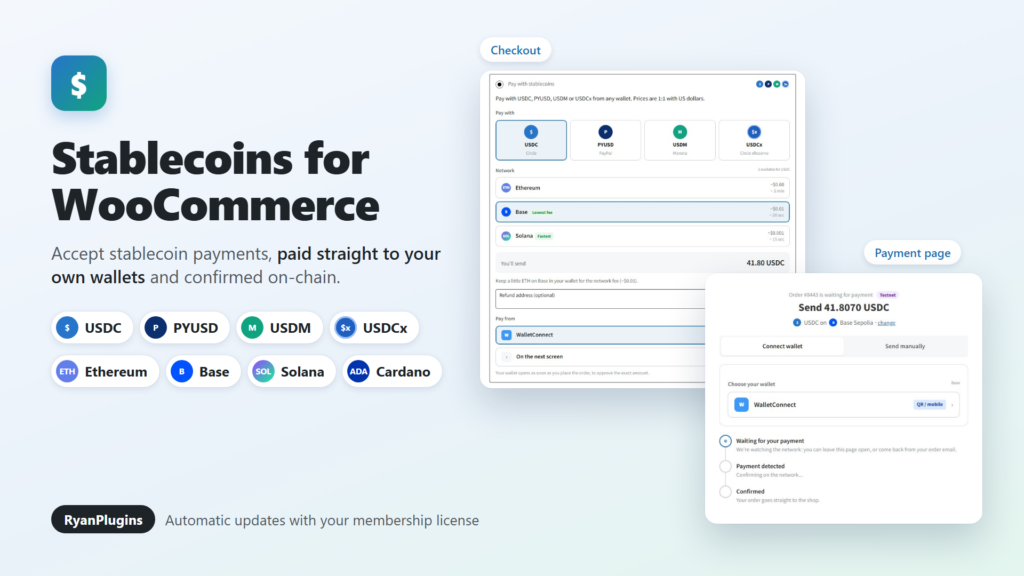
Stablecoins are the easiest kind of crypto to sell with, because a dollar of USDC is still a dollar tomorrow. Stablecoins for WooCommerce by RyanPlugins is a WooCommerce USDC payment plugin that also takes PYUSD, USDM and USDCx on Ethereum, Base, Solana and Cardano. Every payment goes straight to your own wallet and is confirmed on-chain before the order is marked paid.
Included with the RyanPlugins Patreon membership.
What is Stablecoins for WooCommerce?
It’s a payment gateway plugin that adds a “Pay with stablecoins” option to your WooCommerce checkout. Customers pick a stablecoin and a network, pay from the wallet they already use, and the order completes once the payment is confirmed on the blockchain.
The plugin is non-custodial. It never holds funds or private keys, and no payment company sits between you and the customer. You enter your own receiving addresses, and that is where the money lands, with no processing fee and no conversion fee.
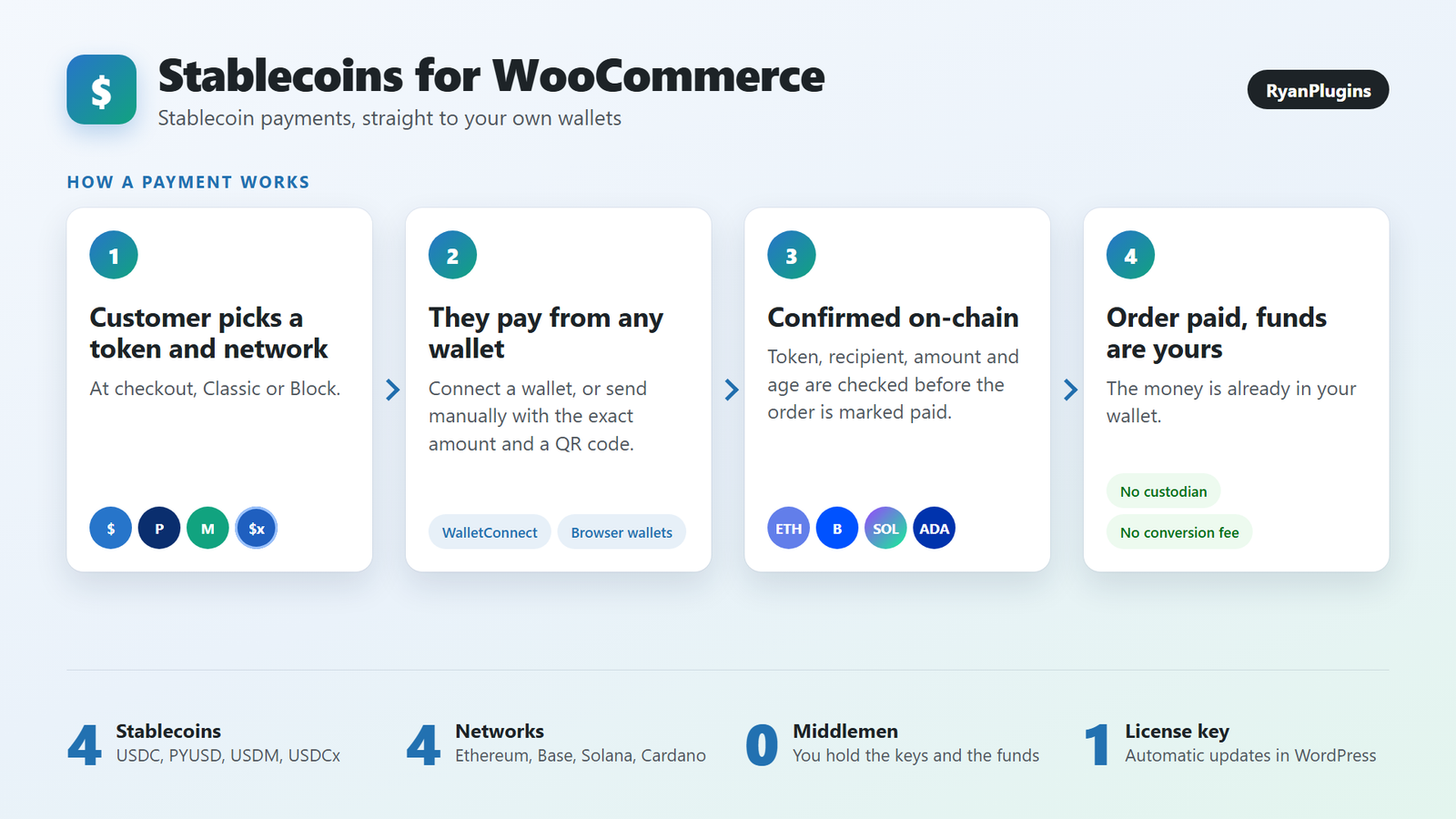
How a stablecoin payment works
- The customer picks a token and network. At checkout they choose USDC, PYUSD, USDM or USDCx, then the network to pay on. Each network shows its usual fee and speed.
- They pay from any wallet. They connect a wallet, or send the exact amount manually using the address and QR code on the payment page.
- The payment is confirmed on-chain. The plugin checks the token, the recipient, the amount and the age of the transfer, and that it wasn’t already used for another order.
- The order is paid. WooCommerce moves the order on as usual, and the money is already in your wallet.
Supported stablecoins and networks
| Network | Stablecoins | Wallets customers can use |
|---|---|---|
| Ethereum | USDC, PYUSD | WalletConnect (any mobile wallet) and browser wallets |
| Base | USDC | WalletConnect (any mobile wallet) and browser wallets |
| Solana | USDC, PYUSD | Phantom, Solflare, Backpack |
| Cardano | USDM, USDCx | Eternl, Lace, Vespr |
You choose which tokens to accept and enter one receiving address per network. Base and Solana usually cost the customer about a cent or less in network fees, while Ethereum costs more, so offering at least one of them keeps small orders affordable.
Features
A checkout customers understand
- Token cards and a network list with the expected fee and confirmation time
- Prices stay 1:1 with US dollars. Stores in another currency are converted with a live exchange rate.
- An optional refund address field
- Works with both the Classic and the Block checkout, and is compatible with HPOS
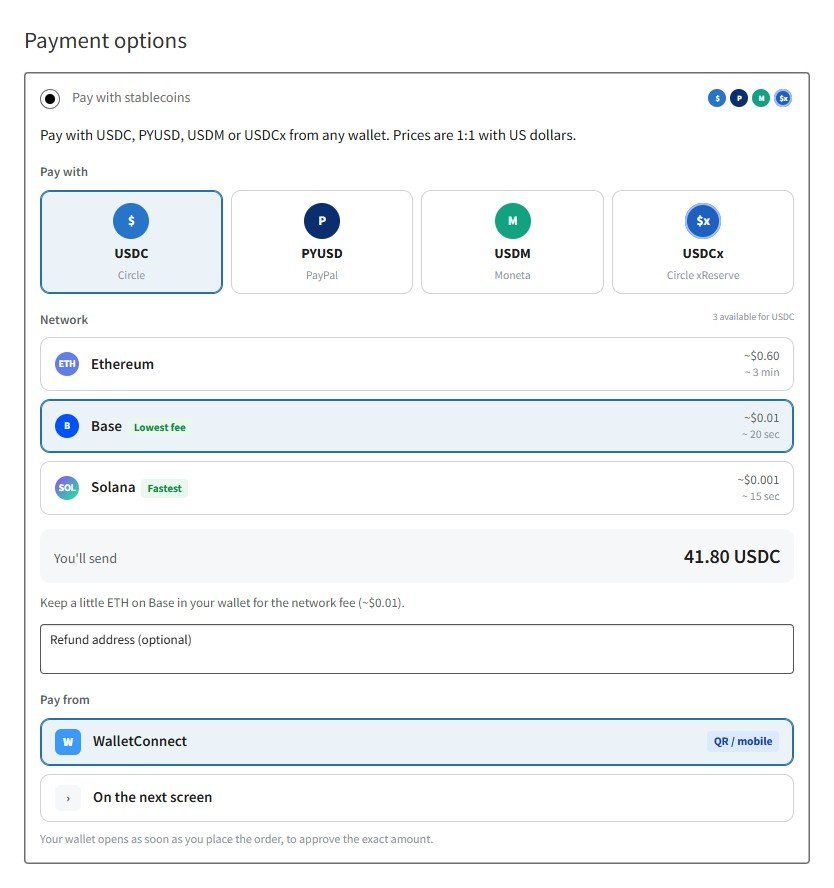
Pay right at checkout
Turn on Pay at checkout and the customer’s wallet opens as soon as they place the order, asking them to approve the exact amount. Most payments are done without ever leaving the checkout. Anyone who cancels continues to the payment page instead.
A payment page that tracks the payment
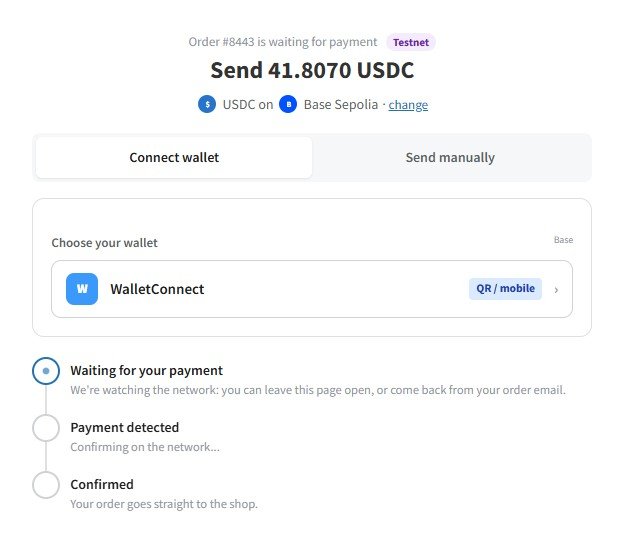
The payment page offers Connect wallet or Send manually, for customers paying from an exchange or another device. It shows the address, the exact amount and a QR code, then follows the payment from waiting to detected to confirmed. Customers can close the page and come back to it from their order email.
Automatic matching and safe verification
- A small unique figure in each amount matches a manual transfer to its order, with no memo needed.
- Payments are checked with your own API keys: Etherscan for Ethereum and Base, Helius for Solana and Blockfrost for Cardano.
- A transaction can only ever pay one order.
- Wrong amounts leave the order On hold. You can attach the transaction on the order screen, and an underpayment within the tolerance you set completes it.
Test mode and demo stores
Test mode runs on Sepolia, Base Sepolia, Solana devnet and Cardano preprod with separate addresses, and only store managers see it. Turn on Demo store to show the test-mode gateway to every visitor, so anyone can try a payment with free test tokens.
Updates from your dashboard
Activate the license key from your RyanPlugins Patreon membership on the plugin’s License tab. New versions then appear on the Plugins screen and can install automatically. Nothing in the plugin is locked behind the license; it only delivers updates.
Requirements
- WordPress 6.2 or later and PHP 7.4 or later, with WooCommerce active
- A wallet address you control for each network you accept
- Free API keys for those networks: Etherscan, Helius and Blockfrost
- A free WalletConnect Project ID from cloud.reown.com for wallet payments on Ethereum and Base
Stablecoin guides
- How to accept stablecoin payments in WooCommerce: which coins and networks to choose, and the setup step by step
- How to accept USDT in WooCommerce
- Crypto Wallet Payment for WooCommerce Pro, if you also want Bitcoin, Ether, XRP or ADA
Frequently asked questions
Which stablecoins does Stablecoins for WooCommerce accept?
USDC and PYUSD on Ethereum, USDC on Base, USDC and PYUSD on Solana, and USDM and USDCx on Cardano. You can turn each one on or off.
Does the plugin hold my money?
No. Payments go straight to the receiving addresses you enter. The plugin never holds funds or private keys.
Are there transaction fees?
The plugin takes no cut of your sales and there is no conversion fee. The customer pays the network fee, which is usually a cent or less on Base and Solana.
Does it work with the WooCommerce Block checkout?
Yes. It supports both the Classic and the Block checkout, and it is compatible with High-Performance Order Storage (HPOS).
Can I try it before taking real payments?
Yes. Test mode runs on Sepolia, Base Sepolia, Solana devnet and Cardano preprod with separate addresses, so you can place test orders with free test tokens before going live.
Start accepting stablecoins
Stablecoins for WooCommerce gives your customers a dollar-stable way to pay with crypto, and gives you the money in your own wallet within minutes. See the product page for screenshots, or get it now.