Posted on Leave a comment

accept.blue Buy Now Pay Later for WooCommerce

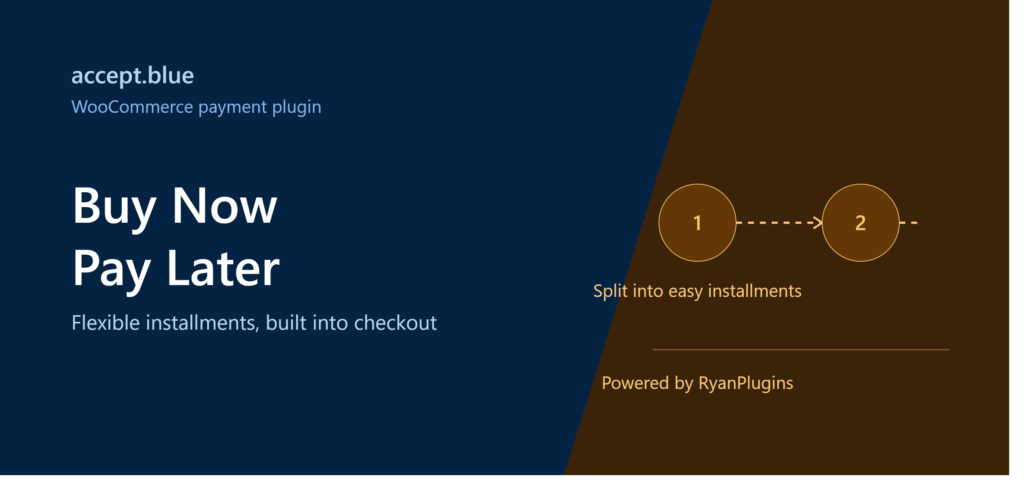
accept.blue Buy Now Pay Later WooCommerce banner

Cart abandonment is one of the biggest revenue killers for WooCommerce stores, and unexpected upfront cost is a top reason shoppers walk away. That’s where accept.blue Buy Now Pay Later comes in. With accept.blue Buy Now Pay Later built directly into your WooCommerce checkout, customers can split their purchase into manageable installments — while you still get paid in full, upfront, with no added risk.

In this guide, we’ll break down exactly how accept.blue Buy Now Pay Later works inside WooCommerce, why it converts better than traditional card-only checkout, and how to get it running on your store in minutes. If you’re new to accept.blue, start with our full lineup of accept.blue WooCommerce and Formidable plugins to see which integration fits your store.

What Is accept.blue Buy Now Pay Later?

accept.blue Buy Now Pay Later (BNPL) is a checkout financing option that lets your WooCommerce customers pay for an order over multiple scheduled installments instead of a single upfront charge. Because it’s powered by accept.blue’s existing payment infrastructure, it plugs directly into the WooCommerce checkout your store already uses — no separate financing dashboard, no clunky third-party redirect.

For merchants, the appeal is simple: you receive your payout the same way you always have, while your customer sees a lower “pay today” number at checkout. That psychological shift is often the difference between an abandoned cart and a completed sale.

Why Add BNPL to Your WooCommerce Store?

  • Higher average order value: Shoppers are more willing to add extra items when the total is split into smaller payments.
  • Lower cart abandonment: Sticker shock at checkout is one of the top reasons carts get abandoned — installments soften that moment.
  • Wider customer reach: BNPL appeals to budget-conscious shoppers who might otherwise skip the purchase entirely.
  • No new merchant risk: accept.blue handles the underwriting and installment logic — you still get paid through your existing payout flow.
  • Seamless WooCommerce integration: BNPL appears as a native payment option at checkout, styled to match your store.

How accept.blue BNPL Works at Checkout

Once configured, the flow is straightforward for both you and your customer:

  1. The customer adds items to their cart and proceeds to WooCommerce checkout as usual.
  2. accept.blue’s Buy Now Pay Later option appears alongside your other payment methods (card, ACH, wallet, etc.).
  3. The customer selects an installment plan and completes a quick eligibility check.
  4. Once approved, the order is confirmed and processed like any other WooCommerce order.
  5. The customer’s scheduled payments are collected automatically by accept.blue on the agreed cadence.

From the store owner’s side, the order shows up in WooCommerce exactly as any completed order would — same order status flow, same fulfillment process, same reporting.

Setting Up accept.blue Buy Now Pay Later on WooCommerce

Getting accept.blue Buy Now Pay Later live on your store takes just a few steps:

  1. Install and activate the accept.blue WooCommerce payment plugin.
  2. Connect your accept.blue merchant account credentials in WooCommerce → Settings → Payments.
  3. Enable the Buy Now Pay Later option under the accept.blue payment method settings.
  4. Choose which installment plans you want to offer to customers.
  5. Save your settings and test a purchase in your store’s sandbox/test mode before going live.

That’s it — no code required for store owners. The plugin handles the checkout UI, tokenization, and installment scheduling automatically.

Is accept.blue BNPL Right for Your Store?

BNPL tends to perform best for stores with mid-to-higher ticket items — think $75 and up — where splitting the cost into a few payments meaningfully changes a customer’s buying decision. If your store sells higher-value products or services, accept.blue Buy Now Pay Later can be one of the fastest conversion-rate improvements you make this quarter.

Frequently Asked Questions

Do I need a separate account to offer BNPL?

No. BNPL runs through your existing accept.blue merchant account — there’s no separate financing provider to sign up with.

Do I get paid upfront?

Yes. accept.blue settles your payout through the same process as your standard card transactions, while the customer’s installments are collected separately by accept.blue.

Does this work with WooCommerce Blocks checkout?

Yes, accept.blue’s WooCommerce plugin supports both classic and block-based checkout, so BNPL displays correctly regardless of which checkout experience your store uses.

Is there additional cost to enable BNPL?

Fees depend on your accept.blue merchant agreement. Check your account dashboard or contact accept.blue support for the specific rate that applies to installment transactions.

Ready to bring flexible checkout financing to your WooCommerce store? Get the accept.blue WooCommerce plugin below and start offering Buy Now Pay Later today.

Get the accept.blue WooCommerce Plugin

Buy Now on Patreon

Need help with setup, custom configuration, or troubleshooting? Our premium support team is here for you.

Need Priority Help With Your Setup?

Get Premium Support

Looking for other payment integrations for your store? Browse the full RyanPlugins catalog for WooCommerce and Formidable Forms payment gateways.

Explore More RyanPlugins Payment Gateways

See All Plugins
Leave a Reply

Your email address will not be published. Required fields are marked *