 RyanPlugins
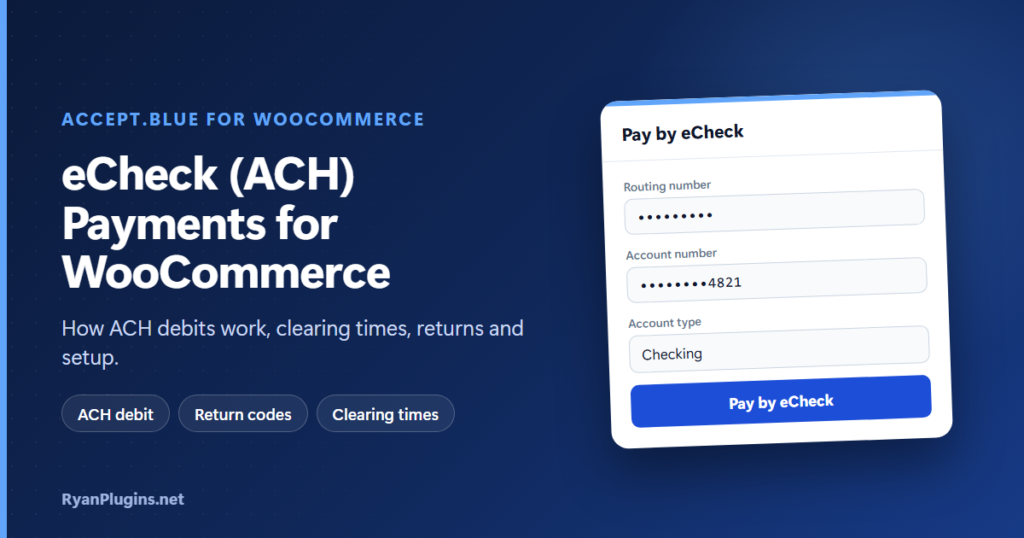
eCheck payments let WooCommerce customers pay straight from their bank account by entering a routing number and an account number, the same details printed on a paper check. The money moves over the US ACH network instead of a card network, so you pay a small per-transaction fee rather than a percentage of the order. This eCheck WooCommerce guide explains how eCheck works, what it costs you in time and risk, and how to switch it on with accept.blue.
What is an eCheck payment in WooCommerce?
Short answer: An eCheck is an ACH debit. At checkout the customer enters their bank routing and account numbers and authorizes the charge. Your payment gateway sends the debit through the ACH network, and the money reaches your merchant account in about 1 to 3 business days. WooCommerce has no eCheck option of its own, so you need a gateway that supports ACH, such as accept.blue.
“eCheck” and “ACH” describe the same payment from two sides: eCheck is what the customer sees, ACH is the network that moves the money.
eCheck vs credit card: what changes for your store
| eCheck (ACH) | Credit card | |
|---|---|---|
| Fees | Usually a flat fee per transaction | A percentage of the order plus a fixed fee |
| When you know it worked | After the debit clears, usually 1 to 3 business days | Authorization is instant |
| Main risk | Returns, such as insufficient funds or a closed account | Chargebacks and card fraud |
| Best for | High-value orders, B2B invoices, subscriptions, tuition, dues | Everyday retail and impulse purchases |
| Who can pay | Customers with a US bank account | Almost anyone with a card |
Because a percentage fee grows with the order and a flat fee doesn’t, the savings are largest on big orders. On a $2,000 order a 3% card fee is $60. An ACH fee is typically a small fraction of that. Check the exact rates with your accept.blue merchant account provider.
How an eCheck order works, step by step
- The customer chooses bank payment at WooCommerce checkout and enters the routing number, account number and account type.
- The details are tokenized by accept.blue, so the account number never sits on your WordPress server.
- The order is placed and the ACH debit is submitted to the customer’s bank.
- The debit settles in about 1 to 3 business days, and the funds reach your merchant account.
- If the bank returns it (for example code R01, insufficient funds), the payment is reversed and you follow up with the customer.
For physical goods, many stores wait for the debit to clear before shipping high-value orders. For digital goods and services, decide whether to grant access at once or after settlement, based on how much a return would cost you.
ACH returns you should know about
An ACH return is the bank telling you the debit didn’t go through. These are the ones a WooCommerce store sees most:
| Code | Meaning | What to do |
|---|---|---|
| R01 | Insufficient funds | Ask the customer to pay again or use another method |
| R02 | Account closed | Ask for a different account |
| R03 | No account, or the numbers don’t match an account | Usually a typo. Ask the customer to re-enter the details |
| R10 | The customer says the debit wasn’t authorized | Treat it like a dispute. Keep your proof of authorization |
Most returns arrive within two banking days. A consumer can report an unauthorized debit for up to 60 days, so keep the order record and checkout authorization for every eCheck payment.
How to accept eCheck payments in WooCommerce with accept.blue
ACH/eCheck is part of the accept.blue v2 Premium Addons, which run on top of the accept.blue v2 Payment Gateway for WooCommerce. You also need an accept.blue merchant account with ACH enabled.
- Install and activate the accept.blue v2 gateway. The install guide covers it step by step.
- Enter your accept.blue Source Key and PIN under WooCommerce › Settings › Payments. If you don’t have them yet, see how to get your Source Key and PIN.
- Install the Premium Addons and enable the ACH/eCheck payment method.
- Set the title customers see, for example “Pay by bank (eCheck)”, and a short description.
- Place a test order in sandbox mode with a test bank account, then switch to live.
What the integration supports
- Classic and block-based WooCommerce checkout
- Tokenized bank details, so routing and account numbers never touch your server
- One-time orders and recurring billing with WooCommerce Subscriptions
- Refunds and voids from the WooCommerce order screen
- Cards and eCheck side by side, so customers pick the method they prefer
Who should offer eCheck at checkout?
eCheck pays off where orders are large or repeat: wholesale and B2B stores, furniture and equipment sellers, service businesses that invoice, schools collecting tuition, and clubs collecting dues. If most of your orders are small, one-off retail purchases, the card fee savings are smaller and the extra days to settle matter more.
Frequently asked questions
Does WooCommerce support eCheck payments on its own?
No. WooCommerce only includes offline methods such as direct bank transfer and check payments, which you reconcile by hand. To debit a customer’s account automatically at checkout, you need a gateway plugin with ACH support, such as accept.blue.
How long do eCheck payments take to clear?
Usually 1 to 3 business days. Card payments are authorized instantly, but an ACH debit is only final after it settles and the return window for common returns has passed.
Is eCheck secure for WooCommerce checkout?
Yes. With accept.blue, the bank details are tokenized on accept.blue’s servers, so routing and account numbers are never stored on your WordPress site.
Can I use eCheck for WooCommerce Subscriptions?
Yes. The accept.blue integration supports recurring eCheck billing with WooCommerce Subscriptions, which suits memberships, retainers and installment plans.
Can customers outside the US pay by eCheck?
ACH is a US network, so the customer needs a US bank account. Offer cards or wallets alongside eCheck for everyone else.