 RyanPlugins
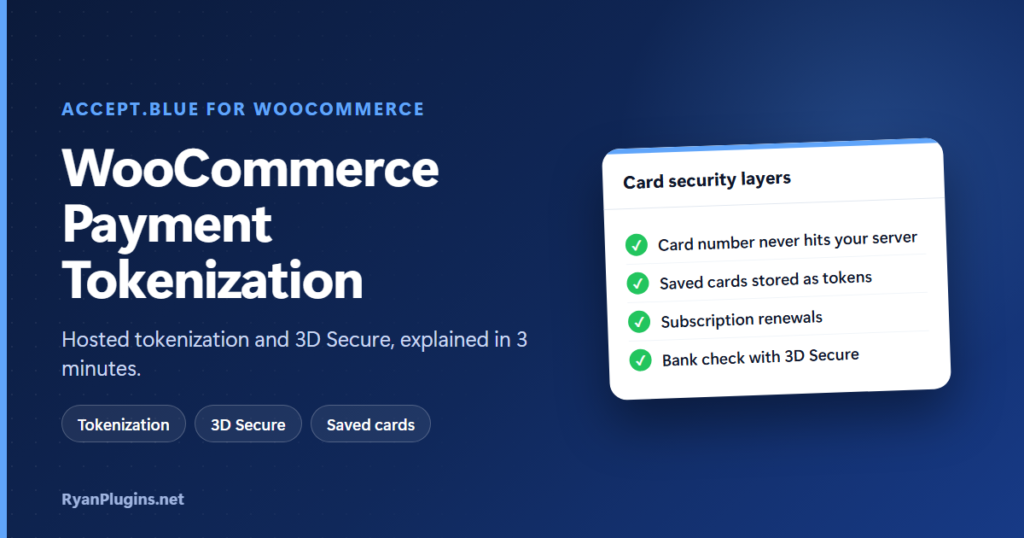
Where does a customer’s card number go when they pay on your WooCommerce store, and how do you know the person paying is really the cardholder? WooCommerce payment tokenization answers the first question and 3D Secure answers the second. This guide, and the 3-minute video below, explain both layers as they work in the accept.blue v2 Payment Gateway for WooCommerce, and how to set them up.
In the video: 0:19 the risk of handling card data, 0:39 what tokenization is, 0:56 tokenization in accept.blue v2, 1:21 saved cards and renewals, 1:37 what 3D Secure is, 2:00 3D Secure in the plugin, 2:13 setup, 2:33 recap.
What is WooCommerce payment tokenization?
Short answer: Tokenization replaces the card number with a token, a random reference that only means something to your payment processor. The customer types their card into a form served by the processor, the processor stores the real number, and your store receives the token. Your WooCommerce site uses that token to charge the card, refund it or save it for later, without ever holding the card number itself.
A token is useless to anyone who steals it. It can’t be used at another shop, and it only works through your own processor account with your own API keys.
Why card data on your server is a risk
If raw card numbers pass through your server, your whole store becomes part of the card-data environment. A vulnerable plugin, a compromised admin account or a malicious script could expose them, and the security rules that apply to you grow with it. Those rules are the PCI Data Security Standard, and how much of it you have to meet depends largely on whether card data touches your systems. Keeping card numbers off your server is the single biggest step a small store can take to shrink that work.
How hosted tokenization works in accept.blue v2
In the accept.blue v2 plugin, the Tokenization section of the settings has a Card entry method option. It decides where the customer types their card, and so what your server ever sees:
| Card entry method | Where the customer types the card | What your server receives |
|---|---|---|
| Hosted fields (recommended, the default) | accept.blue’s card fields, embedded in your own checkout page | A token only |
| Hosted page | A separate accept.blue payment page after checkout | A token only |
| Direct entry (legacy) | A card form posted through your server | The card number and security code |
With hosted fields, the checkout still looks like your store, but the card fields are served by accept.blue’s hosted tokenization. The card number goes straight to accept.blue and the plugin works with the token it gets back. Direct entry is kept only for stores that depend on the old behaviour; it widens your PCI scope considerably, and 3D Secure doesn’t work with it.
Hosted fields and hosted page use a public Tokenization Key from your accept.blue account, entered separately for test and live, next to your API Source Key and PIN.
Saved cards and subscription renewals use tokens too
Accept.blue tokenization doesn’t stop at the first payment. When a customer saves a card, the store keeps the accept.blue token, not the number, and that token powers everything that comes later:
- One-click repeat purchases with a saved card at checkout.
- WooCommerce Subscriptions renewals, charged automatically with the saved token while the customer isn’t present.
- Payment method updates from My Account, so a customer can replace an expired card without contacting you.
Two settings control this. Customer Vaulting (on by default) creates an accept.blue customer record after the first approved charge and reuses it on later orders and renewals. Force Save Card Token saves the card token after every order, even if the customer didn’t tick the box to save it.
Where 3D Secure fits
Tokenization protects the card number. It doesn’t prove who is typing it. That is the job of 3D Secure, which adds a check with the cardholder’s bank during checkout. The bank either approves silently or asks the customer to confirm, usually in their banking app. In accept.blue v2, 3D Secure runs through Paay, works on both the classic and the Blocks checkout, and has a challenge timeout you can set from 30 seconds to 5 minutes.
Because the 3D Secure check runs inside the hosted card form, it needs hosted fields or hosted page. The two layers work together: tokenization keeps card data off your server, and 3D Secure cuts fraud and usually moves liability for fraud chargebacks to the card issuer. For when to turn it on, frictionless mode and timeouts, see 3D Secure for WooCommerce with accept.blue.
How to set up tokenization and 3D Secure
- Get an accept.blue merchant account with an API Source Key and PIN. See how to get your accept.blue source key and PIN.
- Make sure your whole store runs on HTTPS.
- Install the accept.blue v2 plugin and add your keys under WooCommerce › Settings › Payments. The accept.blue WooCommerce setup guide walks through every setting.
- Under Tokenization, keep Card entry method on Hosted fields and enter your test and live Tokenization Keys.
- Tick Enable Paay 3D Secure, add your Paay 3DS API keys and choose a timeout.
- Turn on Test Mode, place test orders, including a saved card and a subscription if you sell them, then switch to live.
The plugin is also compatible with HPOS, WooCommerce Subscriptions and Deposits.
Frequently asked questions
Does tokenization make my store PCI compliant?
Not on its own. Every store that takes cards still has PCI duties, such as an annual self-assessment. Hosted tokenization keeps card numbers off your server, which usually means a much shorter assessment. Your processor or acquirer can confirm which one applies to you.
What happens if someone steals a token?
Very little. A token can only be charged through your accept.blue account with your own keys, so it has no value at another store or in the hands of a thief.
Is tokenization the same as encryption?
No. Encrypted data can be decrypted with the right key. A token has no mathematical link to the card number; only the processor’s vault can map it back.
Do I still need 3D Secure if I use hosted tokenization?
They solve different problems. Tokenization stops your store from leaking card numbers. 3D Secure stops someone using a stolen card on your store. Stores with fraud chargebacks, high-value orders or customers in Europe and the UK benefit most from adding 3D Secure.
Can I switch from Direct entry to Hosted fields?
Yes. Change the Card entry method, add your Tokenization Keys, and test a payment in Test Mode before going live.
Get started
The accept.blue v2 Payment Gateway is built and supported by RyanPlugins, so you talk directly to the developer. For other payment options, see our guide to WooCommerce payment gateways.