 RyanPlugins
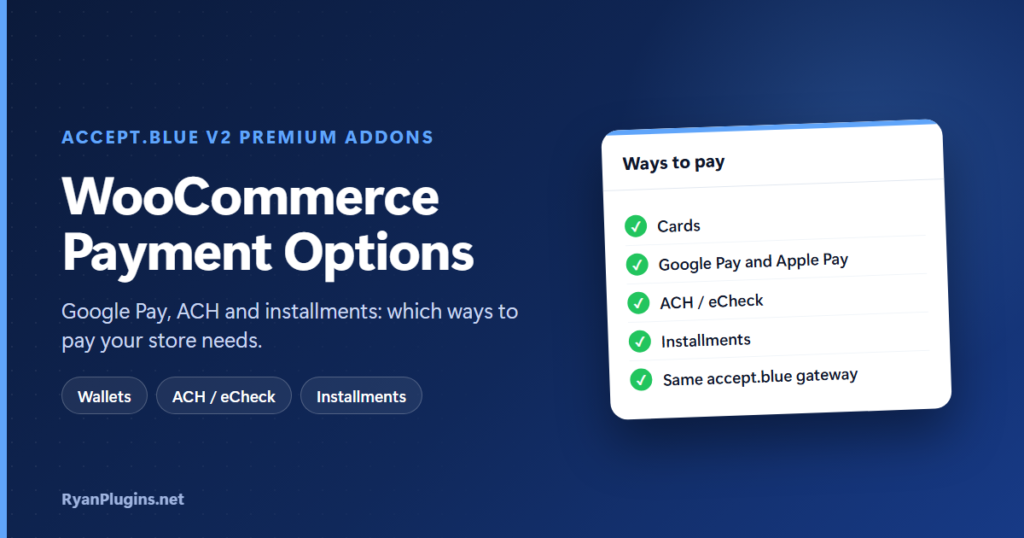
A card-only checkout leaves sales on the table. Typing 16 digits on a phone is slow, card fees on large orders add up, and not every customer can pay a big total up front. The right WooCommerce payment options fix each of those problems. This guide, and the 3-minute video below, explain three extra ways to pay (digital wallets, ACH / eCheck and installments) and how to tell which ones your store needs.
In the video: 0:18 the problem with card-only checkout, 0:39 digital wallets, 1:10 ACH / eCheck, 1:33 installments, 1:54 requirements, 2:24 recap.
Which WooCommerce payment options should you offer?
Short answer: Offer cards for everyone, then add the payment options that fix your store’s specific checkout problem. Add digital wallets (Google Pay and Apple Pay) if most of your shoppers are on phones. Add ACH / eCheck if you sell high-value or B2B orders, where card fees hurt most. Add installments if your prices are high enough that customers hesitate to pay in full. If you already use the accept.blue v2 gateway, all three come as add-ons, so you don’t have to switch gateways.
Why card-only checkout loses sales
- Typing is slow on mobile. Entering a card number, expiry date and security code on a small screen is where many mobile shoppers give up.
- Card fees grow with the order. A percentage fee on a $2,000 order costs far more than on a $50 one.
- Big totals cause hesitation. Some customers want the product but can’t, or won’t, pay the full price on day one.
Each of the three payment options below targets one of those problems.
The three payment options compared
| Payment option | Fixes | Best for | How the customer pays |
|---|---|---|---|
| Digital wallets (Google Pay, Apple Pay) | Slow card typing | Mobile shoppers and everyday orders | One tap with a card saved in their wallet |
| ACH / eCheck | High card fees | High-ticket orders, B2B invoices, US customers | Straight from their US bank account |
| Installments | Hesitation over a big total | Higher-priced products | A first payment at checkout, then the rest on a schedule |
Digital wallets: Google Pay and Apple Pay
Express checkout lets customers pay with Google Pay or Apple Pay instead of typing a card number. Apple Pay appears in Safari on iPhone, iPad and Mac, and Google Pay appears in Chrome and on Android. Apple Pay needs a free Apple Developer account to set up. Step-by-step guides: Google Pay for WooCommerce and Apple Pay for WooCommerce.
ACH / eCheck: lower fees on large orders
With ACH / eCheck, the customer pays from their bank account with a routing number and an account number, and the money moves over the US ACH network. You usually pay a small flat fee per transaction instead of a percentage of the order, so the savings are biggest on high-value and B2B orders. The trade-off is time: a debit takes about 1 to 3 business days to clear, and the bank can return it, for example for insufficient funds. The eCheck for WooCommerce guide covers fees, return codes and setup. You can also see how bank payments compare in Nacha’s overview of the ACH network.
Installments: split a big purchase
Installments let shoppers choose a payment plan at checkout. You set the plan: 2, 3, 4, 6 or 12 payments, weekly to quarterly, with the down payment you choose. The first payment is charged at checkout, the card is saved as a secure token, and accept.blue charges the rest on schedule. Unlike a provider such as Klarna or Affirm, there is no credit check and no provider fee, but you carry the risk of a missed payment. See buy now, pay later for WooCommerce for the full comparison and every setting.
Requirements
- The accept.blue v2 Payment Gateway, installed and active. The add-ons extend it; they don’t replace it.
- An accept.blue merchant account. See the accept.blue WooCommerce setup guide.
- WooCommerce 9.4 to 10.6 and WordPress 6.9 or newer.
- An active RyanPlugins license, which unlocks the add-ons. Card payments keep working without it.
Frequently asked questions
Do I need all three payment options?
No. Start with the one that fixes your biggest checkout problem. A store with mostly mobile traffic gains most from wallets, while a store selling $1,000+ items gains most from ACH or installments. All three are included, so you can turn on more later.
Do I need to switch payment gateways?
No. The add-ons run on the accept.blue v2 gateway you already use, with the same merchant account.
Do I have to buy the add-ons separately?
No. They are included with a paid RyanPlugins membership on Patreon, with no separate purchase.
Can international customers pay by ACH?
ACH needs a US bank account. Customers outside the US can still pay by card, Google Pay or Apple Pay.
Get started
The accept.blue v2 Premium Addons are built and supported by RyanPlugins, so you talk directly to the developer. For other ways to take payments, see our guide to WooCommerce payment gateways.