 RyanPlugins
Plugins / Payments / accept.blue v2 Payment Gateway for WooCommerce
accept.blue v2 Payment Gateway for WooCommerce
Hosted tokenization, 3DS, surcharges, subscriptions and block checkout.
WHAT IS ACCEPT.BLUE V2 PAYMENT GATEWAY?
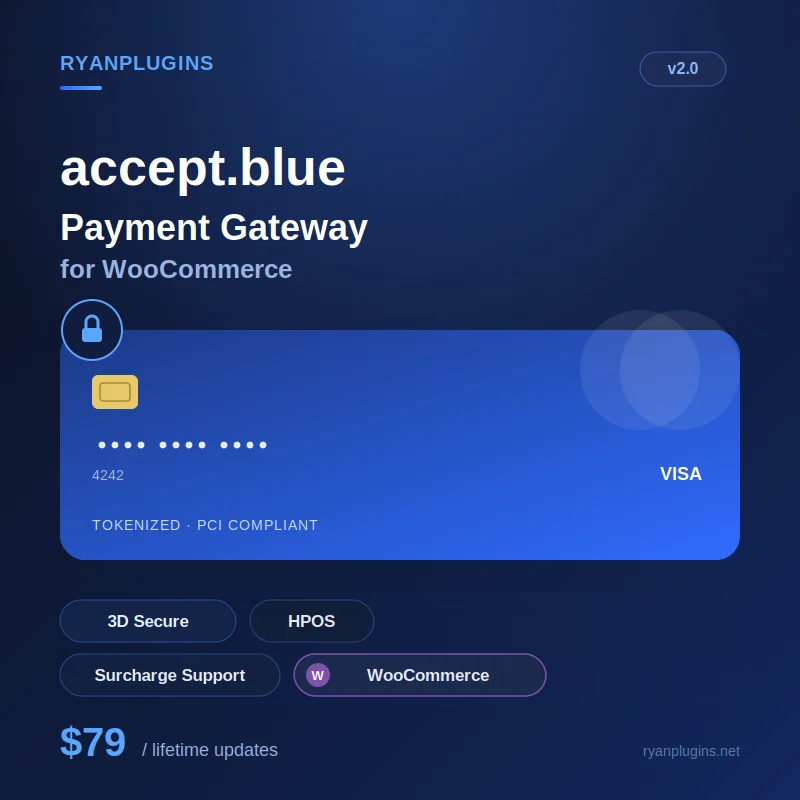
accept.blue v2 is a full-featured, PCI-compliant payment gateway plugin that connects your WooCommerce store directly to accept.blue for secure card processing.
Instead of stitching together separate plugins for cards and surcharge fees…
👉 accept.blue v2 handles all of it from one gateway.
KEY FEATURES
- PCI-compliant, hosted tokenization checkout
- Hosted fields on your own checkout (default) or a hosted payment page
- Paay 3D Secure, with frictionless mode and a configurable challenge timeout
- Cloudflare Turnstile and card-testing protection: IP rate limiting and auto-fail after repeated declines
- Configurable surcharge fee support
- Capture modes: Automatic Capture, Authorization Only (with Adjust & Capture), or External ERP
- Capture, refund, and cancel processing commands
- Level III line item data for B2B and corporate cards
- accept.blue dashboard in WooCommerce with every transaction, refunds and captures
- High-Performance Order Storage (HPOS) compatible
- WooCommerce Block Checkout support
- WooCommerce Subscriptions support
- WooCommerce Deposits support
- Accepted card icon display at checkout
WHY YOU NEED THIS
Running WooCommerce on a patchwork of gateway plugins creates real problems:
- Multiple plugins for card processing and related features that can conflict or fall out of sync
- No surcharge handling, so you absorb processing fees or hand-code a workaround
- Manual capture/refund/void through a separate merchant dashboard
👉 accept.blue v2 replaces all of that with one gateway, one settings screen, and one support contact.
How a Card Payment Works
The customer types their card into accept.blue’s hosted fields, and accept.blue turns it into a token in the browser, so the card number never reaches your server. Optional Cloudflare Turnstile and Paay 3D Secure checks run before your store sends the charge.
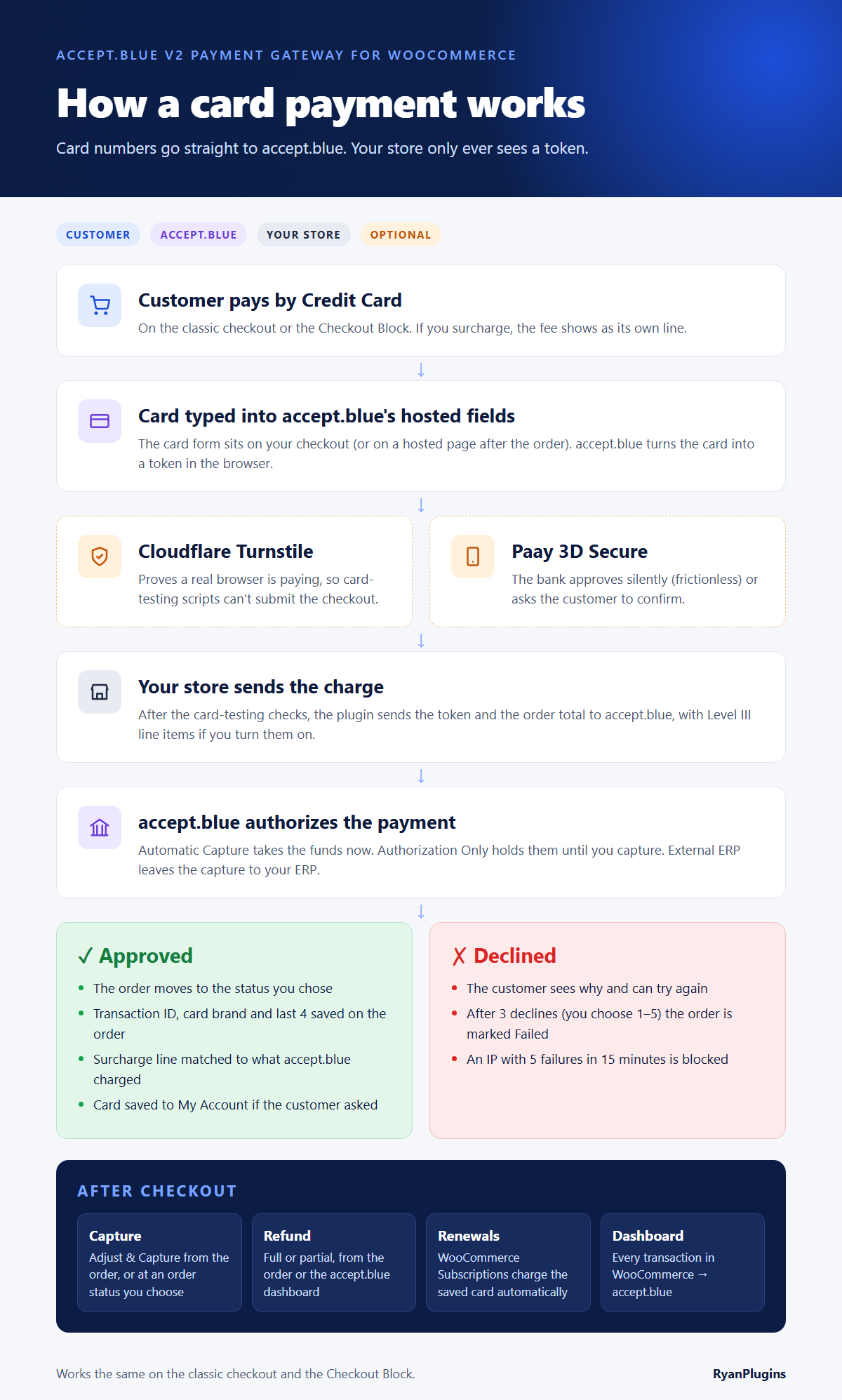
- Approved: the order moves to the status you chose, and the transaction ID, card brand and last 4 digits are saved on it. If you surcharge, the fee line is matched to what accept.blue actually charged.
- Declined: the customer can try again. After 3 declines (you choose 1 to 5) the order is marked Failed, and an IP address with 5 failures in 15 minutes is blocked.
- Afterwards: capture, refund and renew subscriptions from WooCommerce, and see every transaction under WooCommerce > accept.blue.
How to Accept Card Payments in WooCommerce with a PCI-Compliant Gateway
A unified WooCommerce payment setup needs:
- PCI-compliant card processing with hosted tokenization
- Surcharge options configurable per store
accept.blue v2 combines all of these into a single gateway connected to your accept.blue account, with settings managed from one place in WooCommerce.
Set Up in Six Steps
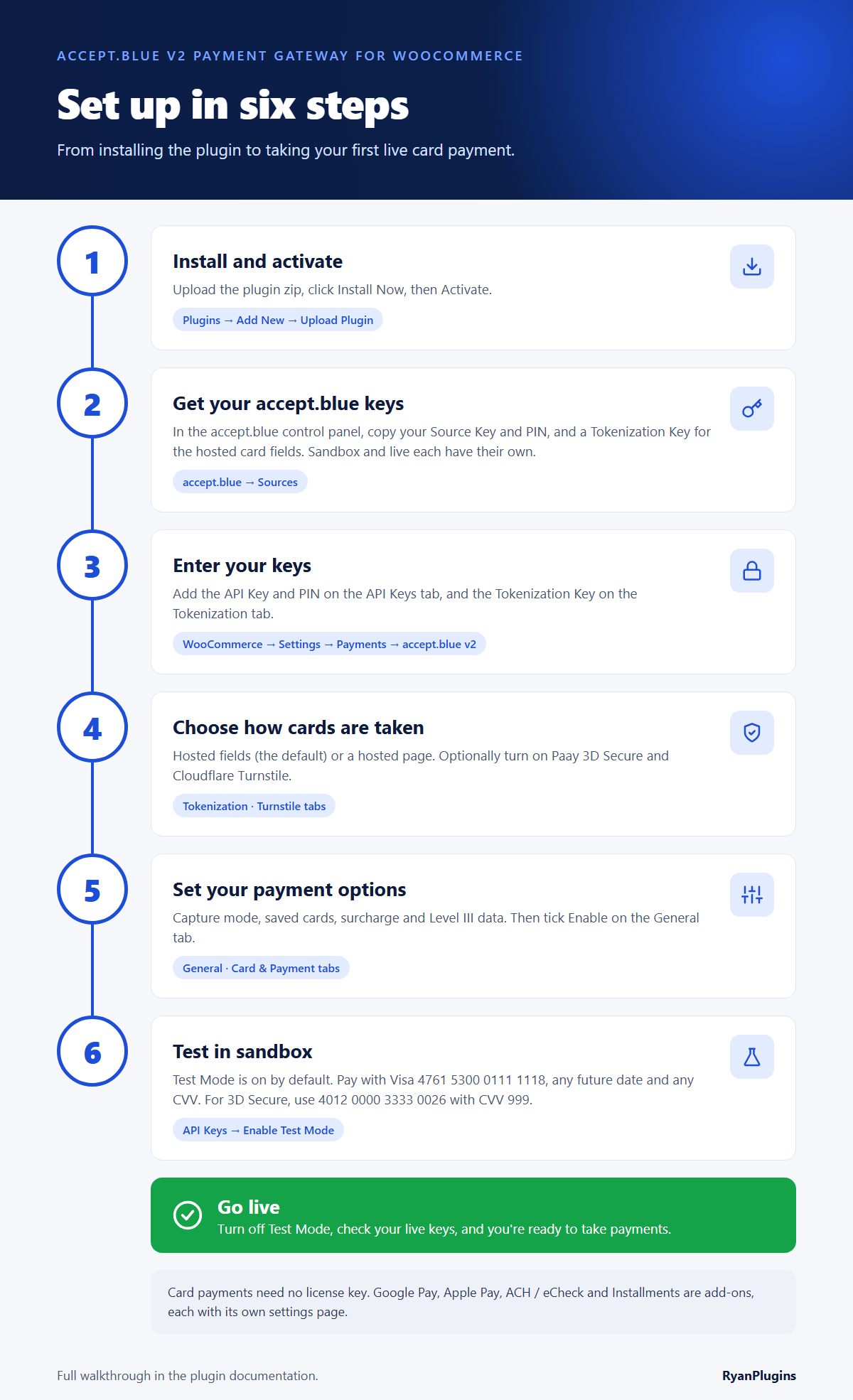
- Install and activate the plugin under Plugins > Add New > Upload Plugin.
- Get your accept.blue keys: your Source Key and PIN, and a Tokenization Key for the hosted card fields. Sandbox and live each have their own.
- Enter your keys under WooCommerce > Settings > Payments > accept.blue v2: the API Key and PIN on the API Keys tab, and the Tokenization Key on the Tokenization tab.
- Choose how cards are taken: hosted fields (the default) or a hosted page, and optionally Paay 3D Secure and Cloudflare Turnstile.
- Set your payment options: capture mode, saved cards, surcharge and Level III data, then tick Enable on the General tab.
- Test in sandbox: Test Mode is on by default. Pay with Visa 4761 5300 0111 1118, any future date and any CVV, or 4012 0000 3333 0026 with CVV 999 to test 3D Secure. Then turn off Test Mode to go live.
FAQ
Does accept.blue v2 work with WooCommerce Blocks checkout?
Yes – full support for both modern Blocks checkout and classic checkout, including split expiry date fields and 3D Secure on both.
Can I pass card processing fees to customers?
Yes, with configurable surcharge fee support and accurate rate handling for card payments.
Is it compatible with HPOS?
Yes, fully compatible with WooCommerce’s High-Performance Order Storage.
How is licensing handled?
Licensing is managed through Patreon membership, giving you ongoing access to updates and support.
What do I need before I set it up?
An accept.blue merchant account with your API Source Key and PIN, a WooCommerce store served over HTTPS, and the plugin from your membership. See how to find your Source Key and PIN and the install guide.
Is it PCI compliant?
Card fields are served by accept.blue’s hosted tokenization, so raw card numbers never reach your server or database. That keeps your PCI scope small. 3D Secure works on both classic and Blocks checkout.
Does it work with WooCommerce Subscriptions?
Yes. Cards are saved as accept.blue tokens, which are charged for renewals and used when a customer changes their payment method from My Account.
What about Google Pay, ACH / eCheck and installment payments?
Those come with the separate Premium Addons for accept.blue v2, which add each one as its own payment method.
Can I test it before going live?
Yes. Try the demo store below, then connect the plugin to accept.blue’s sandbox and run test orders before you switch to live credentials.
accept.blue guides
- Install and connect the accept.blue gateway
- Find your accept.blue Source Key and PIN
- Credit card setup for WooCommerce
- 3D Secure with accept.blue
- Level III processing
- Apple Pay setup
- Google Pay
- ACH / eCheck
- Buy Now Pay Later
📩 Contact Support
Have pre-purchase questions or need help with compatibility?
Email: support@ryanplugins.net
Demo: https://acceptblue.ryanplugins.net/version-2/
Online Docs: https://acceptblue.ryanplugins.net/blog/docs/accept-blue-version-2/