 RyanPlugins
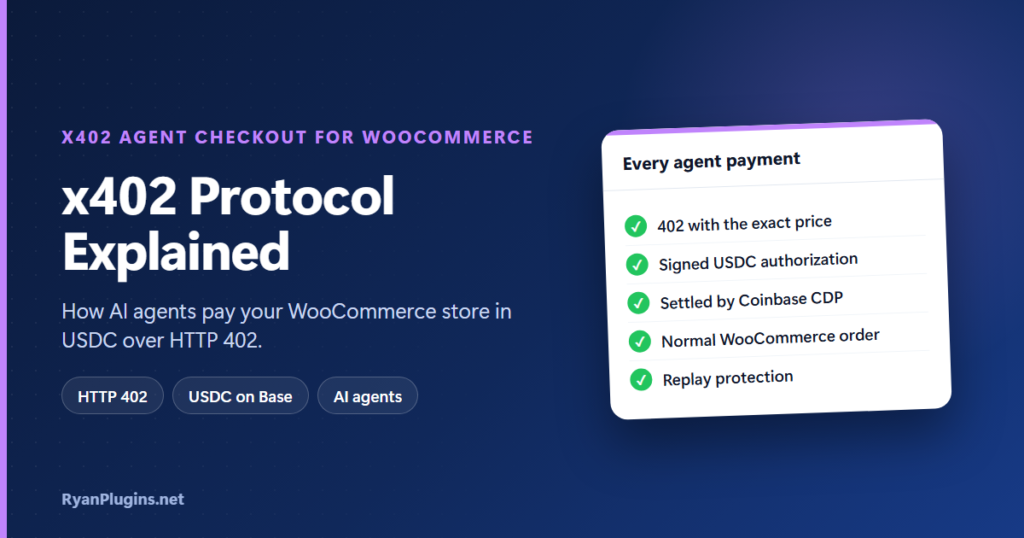
AI agents are starting to shop on their own, but a normal checkout is built for people: a cart, a login, a card form. The x402 protocol gives agents a checkout made for them. It lets software pay for something over plain HTTP, in USDC, with no account or card. This guide, and the 3-minute video below, explain how the x402 protocol works and how x402 Agent Checkout for WooCommerce uses it to turn an agent’s payment into a normal WooCommerce order.
In the video: 0:25 what is x402, 0:49 the payment flow, 1:16 discovery, 1:33 orders, 1:53 settlement and security, 2:16 settings and setup, 2:47 recap.
What is the x402 protocol?
Short answer: x402 is an open payment protocol built on HTTP 402 Payment Required, a status code that has been part of HTTP for decades but was rarely used. When an agent asks for something that costs money, the server answers 402 with the price and where to pay. The agent signs a USDC payment with its own wallet and sends the same request again with the signature attached. The server checks and settles the payment, then returns what was asked for. There’s no sign-up, session or card. You can read the specification at x402.org.
The payment flow, step by step
- Request: the agent asks your store to check out a product.
- 402: the plugin answers HTTP 402 with the exact amount in USDC, the network and your receiving wallet. No order is created and no stock is held yet.
- Sign: the agent signs a USDC transfer authorization (an EIP-3009 signature) with its wallet and sends the request again with it.
- Verify and settle: the plugin sends the signature to Coinbase’s hosted CDP facilitator, which checks it and settles the payment on-chain, straight to your wallet.
- Order: a regular WooCommerce order is created and returned to the agent.
Because the facilitator does the on-chain work, you don’t run a blockchain node, manage gas or keep a private key for your wallet on the server. Payments use USDC on Base. For a background on USDC on Base, see accepting PYUSD and USDC in WooCommerce.
How agents find your products
An agent can’t browse your shop pages the way a person does, so the plugin publishes a JSON catalog at /wp-json/store/v1/x402/products. Each product lists its price, SKU, image, stock, checkout instructions and whether it needs a shipping address. Agents can filter by search term, category and price range.
Agents that simply visit your store can find the catalog on their own: every page carries a link tag and HTTP header pointing to it, and there’s a manifest at /.well-known/x402. After your first real sale, Coinbase’s facilitator can also list your store in its free agent marketplace (Bazaar).
Every payment becomes a normal WooCommerce order
- Stock goes down, order emails are sent and the sale shows in your reports, just like any other order.
- An agent can buy one product or several, including variations, in a single order and payment.
- Physical products can require a shipping address before payment, and tax and shipping can be calculated from your WooCommerce rates.
- If your store isn’t priced in US dollars, the total is converted to USD at a live exchange rate before the agent pays.
- Each order has an x402 Payment Details panel showing the payer’s wallet, the network, the transaction hash and the authorization nonce.
- Agents can check an order’s status later. Because there are no accounts, the wallet that paid is the proof of identity.
Settlement and security
- Replay protection: if an agent sends the same signed payment twice, it gets the original order back. It is never charged twice and no duplicate order is created.
- No overselling: stock is reserved at the moment of settlement, so two agents can’t both buy the last unit.
- Rate limiting: the checkout endpoint is limited per IP address, 20 requests a minute by default.
- Your keys: the CDP API secret can be kept in wp-config.php instead of the database. Funds go straight to your wallet; the plugin never holds them.
Setup
- Check the requirements: WordPress 6.0 or newer, WooCommerce 6.0 or newer and PHP 7.4 or newer.
- Create a free Coinbase Developer Platform account (no KYC or trading account needed) and an API key.
- In WooCommerce, x402 Agent Checkout, enter the API key and the wallet address that should receive USDC.
- Enable agent checkout per product, or for the whole catalog at once.
- Test on Base Sepolia, the default test network, then switch the network dropdown to Base Mainnet.
The x402 Agent Checkout setup guide goes through each setting, and AI agent checkout for WooCommerce covers why stores are preparing for agent buyers.
Frequently asked questions
Is the x402 protocol a “pay with crypto” button for shoppers?
No. It’s for autonomous software buyers calling your store’s API. Your normal checkout and payment gateways for people stay exactly as they are.
What happens if an agent gets a 402 but never pays?
Nothing. No order is created and no stock is reserved until the payment settles.
Do I need to hold crypto or run a node?
No. You only need a wallet address that can receive USDC on Base. Coinbase’s facilitator handles settlement on-chain. For more on keeping funds in your own wallet, see non-custodial crypto payments, explained.
Get started
x402 Agent Checkout for WooCommerce costs $104 USD and is built and supported by RyanPlugins, so you talk directly to the developer. For the full feature list, see the x402 Agent Checkout overview.