 RyanPlugins
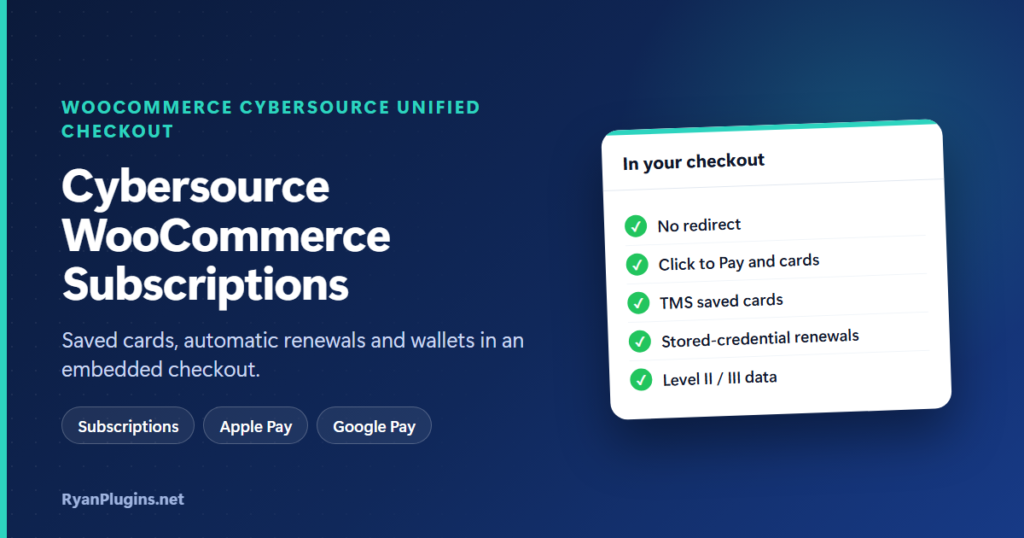
Cybersource Unified Checkout puts a secure Cybersource payment form inside your normal WooCommerce checkout, with cards, Apple Pay, Google Pay and Click to Pay side by side. Shoppers never leave your site. This guide, and the 3-minute video below, explain how it works, how saved cards and Cybersource WooCommerce subscriptions renew automatically, and what you need to set it up.
In the video: 0:23 how it works, 0:42 digital wallets, 1:02 security and PCI, 1:18 saved cards and subscriptions, 1:44 Level II / III, 1:56 compatibility and setup, 2:16 recap.
Does Cybersource work with WooCommerce Subscriptions?
Short answer: Yes. With the WooCommerce Cybersource Unified Checkout plugin, the customer’s card is saved as a Cybersource token on the first order. Each renewal is then charged to that token automatically, flagged as a merchant-initiated payment on stored credentials. Cancelling, suspending and reactivating subscriptions, changing the amount or date, and switching the payment method all work, and no card data is stored on your server.
How Unified Checkout works
Unified Checkout is Cybersource’s embedded payment form. The plugin loads it right in your checkout page, so there is no redirect to a payment page. The card number and wallet details go straight to Cybersource, which returns a one-time token, and the plugin uses that token to take the payment. Because raw card data never touches your server, it is much easier to stay PCI compliant.
You choose the payment action: authorize only (the default, captured later or when the order is completed) or authorize and capture at once. Refunds are made from the WooCommerce order screen.
Apple Pay, Google Pay, Click to Pay and cards
| Payment type | What it needs |
|---|---|
| Credit and debit cards | Nothing extra. Visa, Mastercard, Amex and Discover are on by default, and you can add networks such as JCB, Diners Club, Maestro and UnionPay. |
| Apple Pay | Enrollment in the Cybersource Business Center, including domain verification. |
| Google Pay | Enrollment in the Cybersource Business Center. |
| Click to Pay | Cybersource must enable it on your account, so ask your Cybersource representative. |
| Paze | Also supported; Cybersource must enable it on your account. |
Each wallet is switched on in the plugin settings and in the Business Center. For the enrollment steps, see Apple Pay and Google Pay enrollment for Unified Checkout and digital wallets with Unified Checkout.
Security, PCI and 3D Secure
- PCI scope: payment details are entered in Cybersource’s form, not yours.
- 3D Secure: turn on Consumer Authentication to verify cardholders with their bank, which helps with Strong Customer Authentication (SCA). It is off until you enable it.
- Signed requests and webhooks: API calls are signed with your REST shared secret, and incoming webhooks for captures, refunds and voids are checked for a valid signature.
Saved cards and Cybersource WooCommerce subscriptions
Saved cards use the Cybersource Token Management Service (TMS). The card stays in Cybersource, and WooCommerce keeps only a reference, the card brand, the last 4 digits and the expiry date. Customers can save a card at checkout or add one from My Account, where the plugin checks the card with a $0 authorization and then reverses it. For the bigger picture, see how payment tokenization works.
When a subscription renews, the plugin looks for the card to charge in three places, in order:
- The card saved on the subscription.
- The card saved on the renewal order.
- The customer’s default saved card for this gateway.
If none is found, the renewal is marked failed instead of guessing, so a customer is never charged on a card they didn’t choose. Renewals are sent with stored credentials, marked as recurring and, when available, linked to the network transaction ID of the first payment. Card networks expect this for merchant-initiated payments, and it helps renewals get approved. If a renewal does fail, WooCommerce Subscriptions handles it as usual, and the customer can pay the renewal or update their card from My Account.
Level II and Level III data
For B2B and government cards, you can turn on Line Items to send product, shipping, tax and discount details with each payment, including renewals. You set a default commodity code and unit of measure (EA, for “each”, by default). On qualifying cards this data can lower your processing rate. Level 2 and Level 3 processing explains when it pays off.
Compatibility and setup
The plugin works with the classic checkout, the Block checkout and the order-pay page, and it supports High-Performance Order Storage (HPOS) and WooCommerce Pre-Orders. To set it up:
- Make sure you have an active Cybersource merchant account with Unified Checkout enabled, and a store on HTTPS.
- In the Business Center, create a REST shared secret key and note your Merchant ID, Key ID and secret.
- In WooCommerce, go to Settings, Payments, enable Cybersource Unified Checkout and enter the credentials.
- Choose your payment types, card networks and payment action, and keep “Save payment methods” on if you sell subscriptions.
- Run test orders in the sandbox, then switch to production.
Setup typically takes under 30 minutes. The Cybersource Unified Checkout setup guide walks through each screen, and the sandbox testing guide lists test cards.
Frequently asked questions
Do Cybersource WooCommerce subscriptions need the customer to log in?
A subscription always belongs to a customer account, so WooCommerce creates or uses one at checkout. The card is saved to that account and used for every renewal.
Can customers change the card on a subscription?
Yes. Customers can change the payment method from My Account, and store admins can change it from the subscription screen.
Why does my checkout show “Call failed”?
That usually means the Unified Checkout session couldn’t be created, often because of credentials or a wallet that isn’t enabled on the account. See how to fix Unified Checkout “Call failed”.
Get started
WooCommerce Cybersource Unified Checkout costs $79 USD and is built and supported by RyanPlugins, so you talk directly to the developer. For other options, see our guide to WooCommerce payment gateways.