WooCommerce PWA: Progressive Web App or Native App?
A WooCommerce PWA can be a fast way to an app-like store. Here’s what it does well, where it falls short and how to decide.
The problem: you’ve heard “PWA” and aren’t sure it’s what you need
A progressive web app (PWA) is a website that behaves like an app: it can be added to a home screen and feel faster. For WooCommerce stores a WooCommerce PWA is an attractive idea, but it isn’t the same as an app from the App Store or Google Play, and the differences matter for your plans.
WooCommerce PWA vs. native app: choose by what your customers need
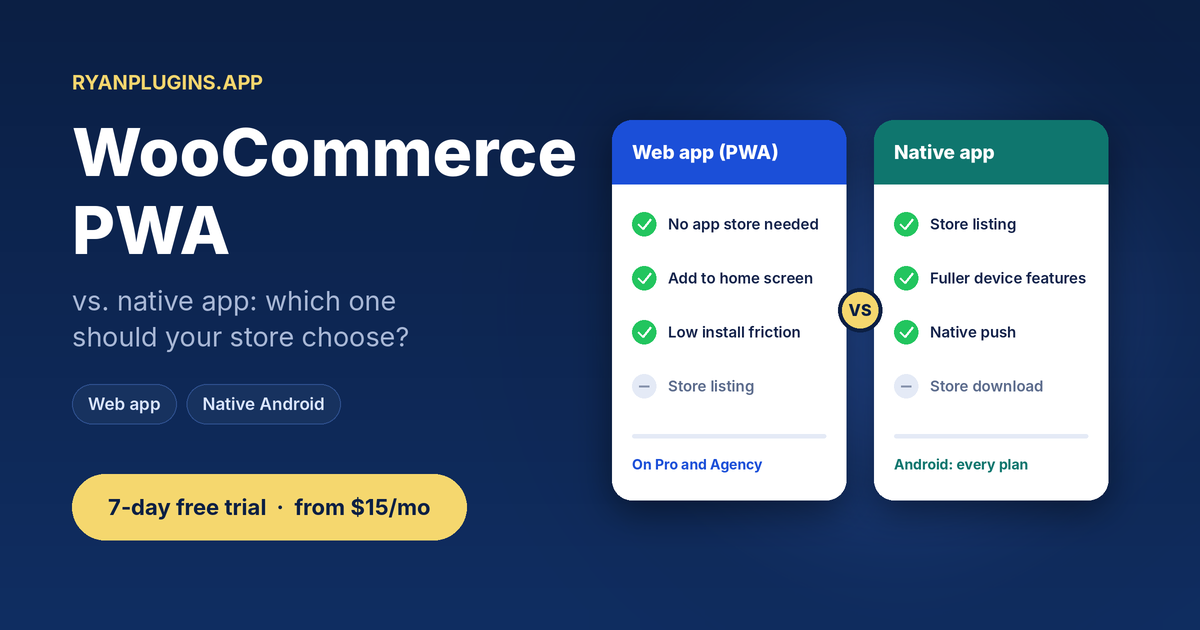
| PWA / web app | Native Android or iOS app | |
|---|---|---|
| App store listing | No | Yes |
| Home-screen icon | Yes, when the shopper installs it | Yes |
| Push notifications | Supported in many browsers; on iPhone it needs the web app on the home screen | Yes |
| Install friction | Low: no download from a store | Higher: a store download |
| Discoverability | Through search and links | Through search and the app stores |
Browser and operating system support changes over time, so check current support before you promise features to customers.
When a WooCommerce PWA is the right choice
- You want something live quickly, without waiting on app store review.
- You’d rather not pay for developer accounts before you know customers want an app.
- Your customers arrive from links, search or social, and a download would be one step too many.
When a native app is the better choice
- You want a listing on Google Play or the App Store, where customers search for apps.
- You need fuller device features than a browser offers.
- You want an app that lives next to the apps customers already use every day.
How RyanPlugins.app covers both
RyanPlugins.app builds an installable web app from your store, the same idea as a WooCommerce PWA: shoppers add it to their home screen straight from the browser, with no app store. On Pro and Agency you also get the web app, and every plan builds native Android apps for Google Play.
- Start with the web app: share a link and customers can start shopping.
- Add Android when you want a store listing: every build includes a signed Android App Bundle for Google Play.
- Need native iOS? The Agency plan includes the full app source code with an Xcode project. See the iOS guide.
- One store behind all of them: products, prices and stock stay live from WooCommerce.
See it in action
Features
- Installable web app that works in any browser (Pro and Agency)
- Native Android shop, merchant and delivery apps on every plan
- Full app source code with an Xcode project for iOS (Agency)
- Your branding: app name, icon and colors
- One WooCommerce store behind all of them
Pricing
Billed monthly through Patreon. The web app starts on Pro. Starter builds Android apps only.
Starter
7-day free trial
$15 / month
One store, with the Android shop, merchant and delivery apps.
Pro
7-day free trial
$39 / month
Up to three stores; adds the installable web app and every payment gateway.
Agency
$399 / month
Unlimited stores, full app source code and direct developer access.
FAQ
What is a WooCommerce PWA?
A WooCommerce store delivered as a progressive web app: a website that can be installed on the home screen and behave like an app.
Is a PWA better than a native app?
Neither is better for everyone. A PWA is quick to launch and needs no app store. Native apps get store listings and fuller device features.
Do PWAs support push notifications?
On many platforms, yes, with limits on iPhone. Check current browser support before you rely on it.
Can I start with a PWA and add native apps later?
Yes. Start with the web app on Pro, and every plan builds Android apps. See the WooCommerce app builder.
Can I find a PWA in the app stores?
Generally no. For a Google Play listing you need a native app, which RyanPlugins.app builds as a signed Android App Bundle.
Get your WooCommerce store app-ready
Part of the WooCommerce app builder