 RyanPlugins
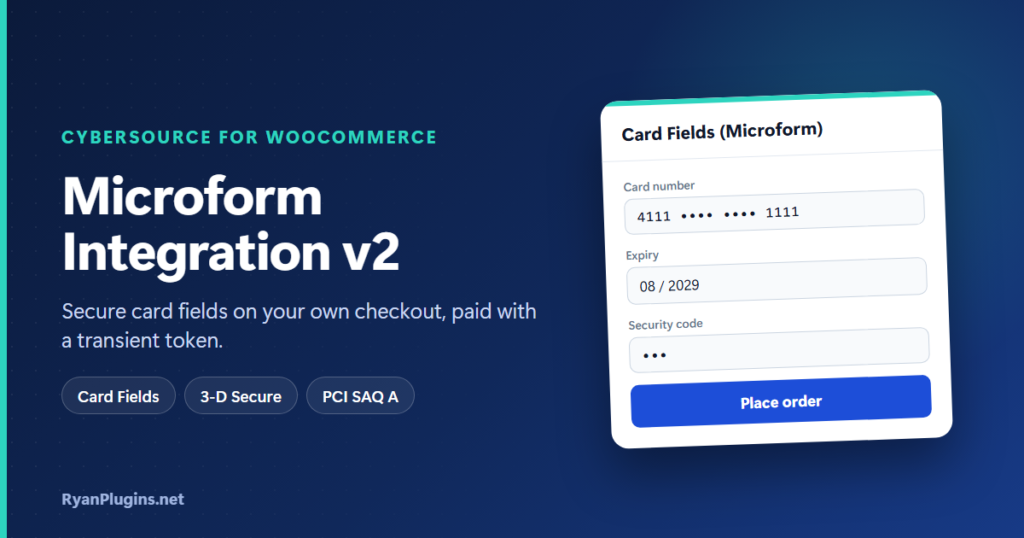
CyberSource Microform Integration v2 swaps the card number and security code boxes on your checkout for secure fields that CyberSource hosts. Shoppers stay on your page, the fields look like the rest of your form, and the card never reaches your server. The WooCommerce CyberSource Payment Gateway already includes CyberSource Microform as its Card Fields integration type, with 3-D Secure, on both the classic and the Block checkout. This guide explains how it works and how to turn it on.
What is CyberSource Microform Integration v2?
Short answer: Microform Integration v2 is part of CyberSource’s Digital Accept (Flex) tools. It places CyberSource-hosted input fields, in iframes, inside your own payment form. The shopper types the card into those fields, and CyberSource returns a short-lived transient token in its place. Your store pays with that token. According to CyberSource’s Microform Integration v2 guide, the card data is encrypted on the shopper’s device before it is sent, and a form built this way could qualify you for the simplest PCI questionnaire, SAQ A.
How CyberSource Microform works in WooCommerce
- Session: when the checkout loads, the plugin asks CyberSource for a Microform v2 session for your store’s address and the card networks you accept. CyberSource answers with a signed capture context.
- Signature check: the plugin checks that signature against CyberSource’s public key before anything reaches the browser.
- Secure fields: the browser loads the exact Microform library named in the capture context, with its integrity hash, and mounts the card number and security code fields. Expiry month and year are normal dropdowns.
- Transient token: when the shopper places the order, Microform exchanges the card for a transient token.
- Payment: the plugin sends the token to CyberSource’s REST payments API with the order total, currency and billing address. The amount always comes from the WooCommerce order, never from the browser.
A capture context lasts 15 minutes. The plugin reuses one for up to 10 minutes, so the fields load quickly even when the checkout refreshes after a shipping or address change. If a session does run out, the shopper is asked to enter the card again instead of seeing a failed payment.
Why use Card Fields instead of a redirect?
| Integration type | Where the shopper pays | Card data on your server? |
|---|---|---|
| Hosted Checkout | A CyberSource payment page, then back to your store | No |
| Card Fields (Microform v2) | Your own checkout, in CyberSource-hosted fields | No |
| Simple Order API (SOAP) | Your own checkout, in your own fields | Yes, passed through to CyberSource |
Card Fields gives you the on-page feel of a direct integration with the small PCI scope of a hosted page. The fields are styled the same on the classic and Block checkout, whatever your theme, and stack on small screens. For all five options side by side, see which integration type is right for you.
3-D Secure with Microform
Microform only collects the card, so 3-D Secure (Payer Authentication) is a separate step. The plugin runs it before the order is submitted: setup, device data collection, the enrollment check and, when the bank asks, a challenge window shown over your checkout. The result is kept on the server, tied to that transient token and that order total, and only that copy is sent with the payment.
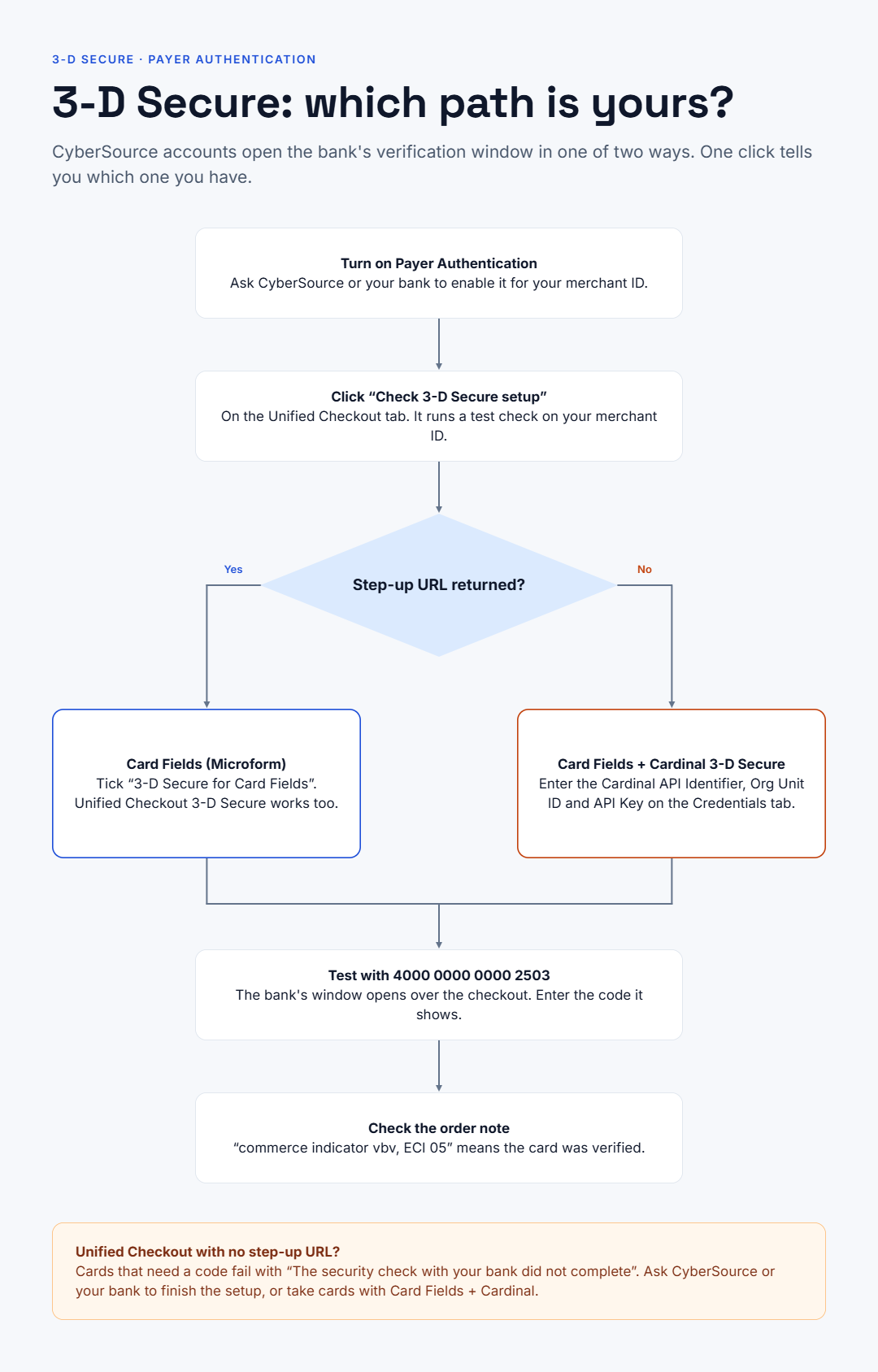
- Card Fields (Microform): tick “3-D Secure for Card Fields”. This uses CyberSource’s own step-up window.
- Card Fields + Cardinal 3-D Secure: for merchant IDs set up for Cardinal Cruise Hybrid. You enter your Cardinal API Identifier, Org Unit ID and API Key, and the API Key is never sent to the browser.
Not sure which you have? Click Check 3-D Secure setup on the Unified Checkout tab. If it reports no step-up URL, use the Cardinal option. After a verified payment, the order note shows the commerce indicator and ECI, for example “vbv” and “05” for Visa.
How to turn on CyberSource Microform
- Make sure your checkout runs on HTTPS and you have REST API credentials (a REST key and shared secret, or a REST P12 certificate) for the environment you are using.
- Go to WooCommerce, Settings, Payments, Cybersource. On the General tab, set Integration Type to Card Fields (Microform).
- Choose your accepted card types. The plugin passes them to CyberSource, so the fields accept only those networks.
- To verify cards with the bank, tick “3-D Secure for Card Fields”, or pick Card Fields + Cardinal 3-D Secure if the setup check tells you to.
- In Sandbox, pay with Visa 4111 1111 1111 1111, or with 4000 0000 0000 2503 to see the bank’s challenge window. Use any future date and any 3-digit code.
For the rest of the gateway setup, see how to integrate CyberSource with WooCommerce.
Frequently asked questions
Does Microform work with saved cards and subscriptions?
Not in this plugin today. Card Fields handles one-off card payments and refunds. If you sell subscriptions, choose Hosted Checkout, Checkout API or Simple Order API “+ Subscriptions”, which save the card as a CyberSource token for renewals. For how renewals work, see Cybersource WooCommerce subscriptions explained.
Can I use Microform and wallets together?
Wallets (Google Pay, Apple Pay, Paze and Click to Pay) come from CyberSource Unified Checkout, which is a different product. See digital wallets with Unified Checkout.
The card fields don’t appear. What should I check?
Card Fields needs an HTTPS checkout and REST API credentials for the mode you are running. With the Cardinal option, all three Cardinal credentials for that mode must be filled in. The gateway log (WooCommerce, Status, Logs, “cybersource”) shows the exact reason.
Is a transient token the same as a saved card token?
No. A transient token stands in for the card for one payment and expires shortly after. A saved card token is stored in CyberSource for later charges. How payment tokenization works explains the difference.
Get started
CyberSource Microform Integration v2 comes built into the WooCommerce CyberSource Payment Gateway, which costs $79 USD and is built and supported by RyanPlugins, so you talk directly to the developer.