WooCommerce accept.blue Integration: The Complete Setup Guide (2026)
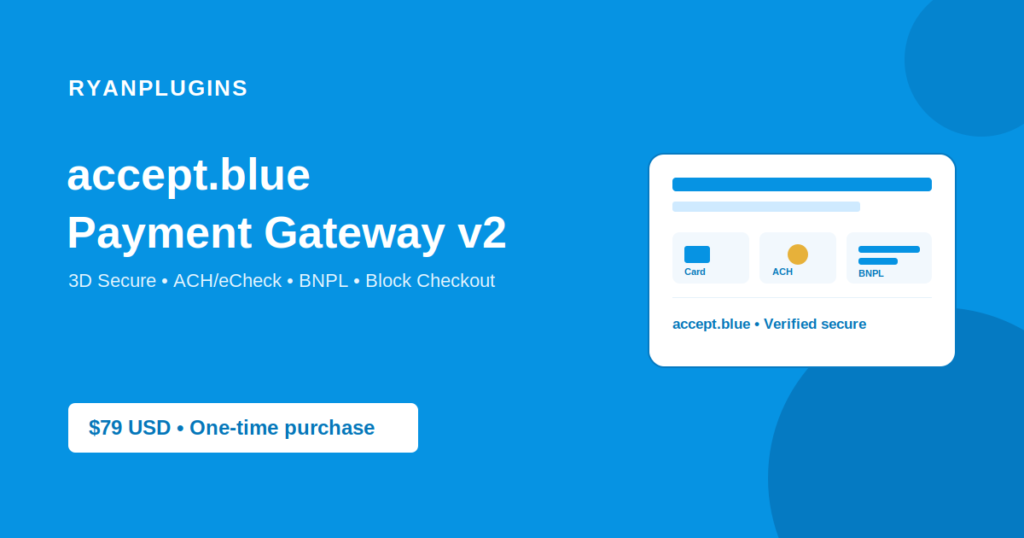
If you’re running WooCommerce and looking to set up a WooCommerce accept.blue integration as your payment gateway, you’re in the right place. This guide walks through exactly how the accept.blue Payment Gateway v2 for WooCommerce plugin connects your store to accept.blue’s processing platform — covering setup, 3D Secure, ACH/eCheck, Buy Now Pay Later, and the security features baked into the integration.
Why Integrate accept.blue with WooCommerce?
accept.blue is a modern payment processing platform built for businesses that need more control over their payment stack than a one-size-fits-all gateway allows. Pairing it with WooCommerce gives store owners:
- Direct card processing with tokenized, PCI-compliant checkout
- Built-in 3D Secure (3DS) authentication for fraud protection and chargeback liability shift
- ACH/eCheck support for lower-fee bank transfers
- Buy Now, Pay Later (BNPL) installment plans at checkout
- Full compatibility with WooCommerce Block Checkout, classic checkout, and the order-pay page
Unlike generic gateway plugins, the accept.blue WooCommerce integration is purpose-built around accept.blue’s API — not retrofitted from a different processor’s SDK. That matters when you hit edge cases like split-tender orders, saved payment methods, or subscription billing.
Planning Your WooCommerce accept.blue Integration
Before you start, it helps to map out which of accept.blue’s features your store actually needs. Most stores only need the card gateway with 3D Secure turned on, but if you run subscriptions, offer installment plans, or process a meaningful volume of bank transfers, it’s worth enabling ACH/eCheck and BNPL from the start rather than bolting them on later. If your setup involves a non-standard checkout flow, a headless frontend, or custom subscription logic, our custom WordPress development service can help you plan the integration around it.
Step-by-Step: Setting Up accept.blue on WooCommerce
1. Install the Plugin
Download the accept.blue Payment Gateway v2 plugin and upload it through Plugins → Add New → Upload Plugin in your WordPress dashboard, or drop it into /wp-content/plugins/ via FTP/SFTP. Activate it once installed.
2. Connect Your accept.blue Account
Navigate to WooCommerce → Settings → Payments and enable “accept.blue.” You’ll be prompted to enter your accept.blue API credentials (source key and PIN), which you can find in your accept.blue merchant dashboard.
3. Configure Checkout Behavior
From the gateway settings tab you can configure:
- 3DS challenge timeout — choose 30 seconds, 1, 2, or 5 minutes for how long a customer has to complete authentication
- Accepted card icons — toggle which card brand logos display at checkout (Visa, Mastercard, Amex, Discover, Diners Club, JCB)
- Surcharge handling — enable card surcharges with automatic calculation across orders, subscriptions, and adjust/capture flows
- ACH/eCheck — enable as a separate payment method with its own vaulting and subscription support
- BNPL — enable installment plans with configurable terms, shown as a distinct payment option at checkout
4. Test in Sandbox Mode
Before going live, run test transactions using accept.blue’s sandbox credentials. Confirm that 3DS challenges trigger correctly, saved cards tokenize properly, and order statuses update as expected across classic checkout, Block Checkout, and the order-pay page.
5. Go Live
Switch your credentials to production mode, run a small live test order, and you’re ready to accept payments through accept.blue.
Security Built Into the Integration
The plugin has been through multiple security audit cycles, including hardened ownership checks on saved payment tokens, XSS protections across Google Pay integration files, and refund boundary validation. Sensitive billing and shipping data is sanitized and escaped correctly throughout the checkout flow, so customer data displays accurately without introducing injection risks.
Get the accept.blue Payment Gateway v2 for WooCommerce
Full 3DS, BNPL, ACH, surcharge handling, and Block Checkout support — one plugin, $79 USD.
Frequently Asked Questions
Does accept.blue work with WooCommerce Block Checkout?
Yes. The accept.blue Payment Gateway v2 plugin fully supports WooCommerce Block Checkout, in addition to classic checkout and the order-pay page, for both the standard card gateway and BNPL.
Can I accept ACH/eCheck payments through accept.blue on WooCommerce?
Yes. ACH/eCheck is available as a standalone gateway with its own tokenization, vaulting, and subscription support, separate from the card gateway.
Does the plugin support 3D Secure authentication?
Yes. 3D Secure is supported across all checkout paths, with an admin-configurable challenge timeout of 30 seconds, 1 minute, 2 minutes, or 5 minutes.
Is Buy Now, Pay Later available with this integration?
Yes. The plugin includes a full BNPL gateway with installment plan calculation, 3DS support, and a dedicated dashboard tab for tracking installment schedules.
How much does the accept.blue Payment Gateway v2 plugin cost?
The plugin is available for $79 USD, distributed through Patreon with license management for updates and support.